How to Sign Up for Driver Safety Training via Institution Code
Follow these simple steps to enroll in Driver Safety Training online. Start by visiting www.edurisklearning.org and click on “Register Now.” Enter the institution code SCA’s 4203-SC37-XY12 when prompted. Make sure to avoid any extra spaces during the entry. Complete your registration by providing the required information to create an account. Once registered, navigate to the course home page and select Driver Safety Training (ensure K-12 is not selected). Confirm your enrollment by answering “yes,” and you're ready to take the course!

How to Sign Up for Driver Safety Training via Institution Code
E N D
Presentation Transcript
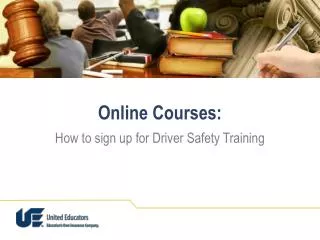
Online Courses: How to sign up for Driver Safety Training
Access Through an Institution Code Step 2. Go to www.edurisklearning.org and click on “Register Now” Online Courses: An Orientation
Access Through an Institution Code Step 3. Enter the institution code when prompted for a registration code. SCA’s code 4203-SC37-XY12 (If you copy and paste, there can be no additional spaces before/after hyphen or after the last number) Online Courses: An Orientation
Access Through an Institution Code Step 4. Complete the registration information to establish an account. Online Courses: An Orientation
Access Through an Institution Code Step 5.At the course home page, click on Driver Safety Training (do not choose K-12) Online Courses: An Orientation
Access Through an Institution Code Step 6.Answer “yes” when asked about enrolling in a course. Online Courses: An Orientation
Access Through an Institution Code You’re ready to take a course! Online Courses: An Orientation