Understanding Effective Meetings: Purpose, Types, and Roles
Meetings play a crucial role in organizations by fostering discussion, problem-solving, teamwork, and decision-making. To ensure meetings are productive, it’s essential to plan them carefully, set clear agendas, and follow up on action items. Formal meetings must adhere to organizational rules, while informal chats, such as those at the water cooler, also contribute to communication. Different types of meetings, like Annual General Meetings (AGM) and Board Meetings, serve distinct purposes. Key roles, including the Chairperson and Secretary, are vital for maintaining order and ensuring effective communication.

Understanding Effective Meetings: Purpose, Types, and Roles
E N D
Presentation Transcript
Higher Administration Administrative Services Outcome 4
Purpose of Meetings The main purpose of meetings are: • To discuss and generate ideas • To consult on issues and solve problems • To motivate and for teambuilding • To set targets and objectives • To plan and makedecisions
The Effective Meeting If run poorly, meetings can be a waste of time… • Plan the meeting first – is it necessary? • Make sure it has a clear purpose • Prepare and circulate an agenda • Set a time limit eg 30 minutes • Delegate responsibilities, keep control and agree actions • Follow up on agreed actions
The Water Cooler… • Meeting a colleague and having a chat at the water cooler is an informal meeting. • Often known as the ‘office grapevine’.
Formal Meetings • Follow rules laid down by the organisation’sarticles of association. • In a club these are known as the constitution. • In local authorities they are known as the standing orders.
Rules of a Formal Meeting The rules generally state: • Proper notice should have been given of the meeting • The chairperson needs to be present • A quorum of attendees must be present • The main office bearers are present • The meeting is conducted according to the rules
The Annual General Meeting • Public Limited Companies (plcs) must hold one each year (required by the Companies Act) • All shareholders are invited to attend. • Purpose: • To discuss company performance • Examine the accounts • Accept the directors’ and auditors’ reports • To elect new office bearers • To agree the dividend to be paid
Extraordinary General Meeting • Another very formal meeting following the rules in the Companies Acts. • Usually held to resolve or discuss some issue that cannot wait until the next AGM eg a financial crisis.
Board Meeting • The meeting held between the Directors of the company to discuss the strategic aims and organisational policies. • Sometimes certain duties may be delegated to a committee set up for that purpose.
Committees • Executive: makes binding decisions eg equal opportunities • Advisory: gives advice on a specific issue eg relocation • Joint: improves communication between two separate committees eg Staff Social Committee and Staff Welfare Committee • Ad hoc: formed only for a specific issue or task eg retirement party or the opening of a new store • Sub-committee: standing or ad hoc committee eg Equal Opportunities Committee forms a sub-committee to look at ageism in the workplace
The Chairperson Must have: • Personal skills/qualities to control the meeting • Respect from other members of the team • Tact and diplomacy • Fairness in judgment and casting vote
Chairperson Responsibilities The Chairperson is responsible for: • Compiling the agenda • Ensuring that previous minutes are correct • Ensuring that a quorum is present • Starting and ending the meeting on time • Keeping control of the meeting • Giving everyone a chance to speak • Explaining complex issues • Deciding when it is time to vote, and summarising the discussion • Declaring the results of the vote and recording the results • Making decisions • Closing or adjourning the meeting formally
Chairperson (Afterwards) After the meeting the chairperson will: • Liaise with the secretary regarding the preparation of the draft minutes and the agenda for the next meeting • Take follow-up actions from the discussions as required • Make any necessary decisions between meetings, usually in consultation with the secretary
The Secretary Before the meeting: • Book the venue • Make sure that the layout of the room is correct • Order refreshments • Book equipment required • Inform reception and arrange parking permits • Note the meeting in relevant diaries • Make extra copies of agenda/previous minutes • Note any apologies received • Prepare name badges for attendees • Inform the press (if the meeting is a public one)
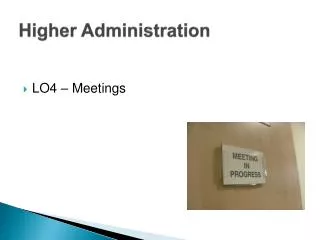
The Secretary On the day of the meeting: • Give names of those attending to reception • Check the room is as expected (light/heat/layout/equipment/refreshments etc) • Signs and Directions to the meeting room • “Meeting in progress” sign on the door • Attendance register ready • Greet attendees
The Secretary During the meeting: • Sit next to Chairperson – passing relevant papers and general assistance • Read the minutes and take apologies for absence • Chairperson has to sign the minutes (and alterations) • Ensure the attendance register is complete • Take minutes: actions, by whom and when • Distribute expense claim forms
The Secretary After the meeting: • Tidy the room • Inform reception that the meeting is finished • Draft minutes and give a copy to the chairperson • Note when the agenda for the next meeting should be ready • Follow up any action points (inc writing letters etc) • Note the date of the next meeting • Prepare the agenda and Chairperson’s agenda for the next meeting
Failing to Plan… Consequences of poor meeting organisation: • Meeting may be postponed • Longer meeting – if agenda badly designed • Lack of discussion – if documents haven’t been read • Attendees feeling uncomfortable – water necessary • Embarrassment/Anger – if no vegetarian option • Misdirected attendees – if reception is not informed • Late attendees – parking not arranged (inc disabled access) • Invalid decisions – incorrect procedures followed.
Notice of Meeting and Agenda • Sent some time before a meeting to give attendees time to prepare • But not usually longer than 2 weeks before! • Some of the items in the agenda are standard items and appear for every meeting.
Standard Agenda Items • Apologies – allows the secretary to forward any documents issued and for the chairperson to establish if a quorum is present • Minutes – opportunity to discuss the accuracy of previous minutes • Matters Arising – up-to-date position on matters since the last meeting • AOCB – other items requiring discussion not on agenda (usually brief) • Date of next meeting – ensures general agreement before the close of the meeting
Formal Minutes • An official record of the meeting taken by the secretary • Written in the past tense and third person eg (Caitlin Broadfoot reported on the positive achievement of Eilha Craig) • Not everything is recorded, but details of proposals, resolutions, motions, decisions and actions will be recorded • Recorded in the same order as the agenda • Once agreed, signed by the chairperson and are filed
Action Minutes • Less formal meetings adopt action minutes. • They concentrate on: • What has to be done • Who is responsible for doing it • When it has to be done by
Chairperson’s Agenda • This gives additional space on the right hand side of the agenda for the chairperson to make notes. • Used in a formal meeting, or if the chairperson is new to the job.
Lots of Jargon to learn… • Abstain • Address the Chair • Adjournment • Amendment • Ballot • Casting Vote • Majority • Motion • Point of order • Postpone • Proposer • Quorum • Resolution • Seconder • Standing Orders • Unanimous • Verbatim
Voting at a Meeting • Ballot – a written vote – usually secret • Show of hands – yes/no – voters may be intimidated • Go into division – those eligible to vote go to an allocated space eg one side of the room • Casting vote – taken by chairperson • Proxy vote – a substitute person votes in place of an absentee
… and some more! • No Confidence • Proxy Vote • Ex officio • Rider • In Camera • Lie on the table • Ad hoc • Sine Die • Sederunt
Electronic Diaries • The secretary needs access to various diaries in order to schedule meetings when participants are free (date/time) • Invitations can be sent by email, e-Diary then automatically updates when confirmed • Recurring appointments entered once • Can use reminder function eg confirming room bookings or ensure appropriate documents have been sent out
Email • Send Notice of Meeting and Agenda to multiple participants at once (using attachments) • Documents could be accessed electronically during a meeting • Avoids the need for the use of paper (eco-friendly/space-saving)
Intranet • Private computer network • Used to access the most up-to-date policies, procedures and templates • Minutes of meetings will be stored on a LAN Server.
Audio-Conferencing • Conducted via loudspeaker telephone • Not easy to identify the person speaking unless they give their name first • Lack of facial expressions/body language • Problems holding confidential discussions • Useful for a brief meeting between a few people
Video-Conferencing • Using large television/plasma screen, computer network and relevant software • Ability to communicate visually across the globe avoiding travel/accommodation costs (and time) • Can hire the service from other companies if not available in-house
Video-Conferencing Advantages Disadvantages Hardware/software – expensive setup Time differences – international meetings Fast broadband connection required (no longer an issue usually) Network fault/crash – meeting postponed (frustration) Participants may not like being filmed • Communication over long distances • More personal than telephone call • Avoids pollution through travel (time and saving) • Facilities at (or close to) normal place of work • Can be recorded and played back • Allows demonstrations
Mobile Phones • Text messaging may have a negative effect on proper business language • Reminders of Meetings – SQA send text alerts for events that you have signed up to (the day before the event) • Ability to take photographs and short videos to use in a discussion later • Some difficulty with reception in some areas especially 3G/4G • People may not turn off in meetings and other public places • Personal calls during working hours can be an issue
Interactive Whiteboards • A ‘virtual’ whiteboard • All writing/annotations can be saved electronically for later reference eg brainstorming sessions • Notes can be printed or emailed to colleagues not present at the meeting
Presentation Software • Speakers Notes – prompt/reminder • Slides can advance automatically – improving interaction • Handouts – allows reference later • Animation (step-by-step) – progress at own pace • Integrated packages – import charts/tables/video/graphics/sounds • Hyperlinks – linking to different documents/websites • Action buttons – various features available • Master slides – set up templates for the presentation
Other Forms of Technology • Instant Messaging • Discussion Groups • Blogs • Wikis For all forms of technology you must be able to give specific examples of how ICT has improved the efficiency of meetings
Higher Administration Administrative Services Outcome 4