Simplified Calibration Process for E5071A and E5091A Test Equipment
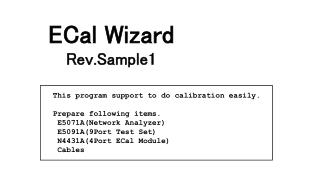
This program streamlines the calibration process for the E5071A Network Analyzer and E5091A 9-Port Test Set. To begin, gather the required items: E5071A, E5091A, N4431A 4-Port ECal Module, and connection cables. The Calibration Wizard guides users through connecting the necessary cables for various test channels including GSM and DCS/PCS. Simply follow the prompts to connect cables, then press the "Measure" button for each channel. Experience efficient and accurate calibration without hassle.

Simplified Calibration Process for E5071A and E5091A Test Equipment
E N D
Presentation Transcript
This program support to do calibration easily. Prepare following items. E5071A(Network Analyzer) E5091A(9Port Test Set) N4431A(4Port ECal Module) Cables ECal Wizard Rev.Sample1
E5091A A T1 T2 R1+ R2+ R3+ R1- R2- R3- N4431A ECal Wizard Ch1: GSM TX Ch2: GSM RX Ch3: GSM RX Port: A,T1,R1+,R1- Connect Cables, Then Press Measure Button.
E5091A A T1 T2 R1+ R2+ R3+ R1- R2- R3- N4431A ECal Wizard Ch4: DCS/PCS TX Ch5: DCS RX Ch6: DCS RX Port: A,T2,R2+,R2- Connect Cables, Then Press Measure Button. (Reconnect Green cables)
E5091A A T1 T2 R1+ R2+ R3+ R1- R2- R3- N4431A ECal Wizard Ch7: PCS RX Ch8: DCS/PCS TX Port: A,T2,R3+,R3- Connect Cables, Then Press Measure Button. (Reconnect Green cables)
E5091A A T1 T2 R1+ R2+ R3+ R1- R2- R3- N4431A ECal Wizard Ch9: GSM TX Port: T1,T2,R3+,R3- Connect Cables, Then Press Measure Button. (Reconnect Green cables)