Download
1 / 30
300 likes | 410 Vues
This guide covers key aspects of Java programming related to formatting output and working with enumerated types. It discusses the `NumberFormat` class in the `java.text` package for currency and percentage formatting, emphasizing its static method usage instead of traditional instantiation. Additionally, it introduces `DecimalFormat` for custom number patterns and enumerated types for defining safe variable types. The guide provides examples, such as creating number format instances and using enumerated types effectively in Java applications.

E N D
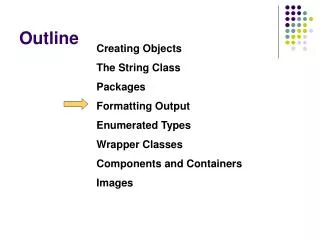
Outline Creating Objects The String Class Packages Formatting Output Enumerated Types Wrapper Classes Components and Containers Images
Formatting output • It is often necessary to format values • output looks appropriate when printed or displayed • NumberFormat part of java.text package • Provides generic formatting capabilities • is not instantiated using the new operator • instead by requesting an object • From one of the static methods invoked thru the class name • NumberFormat fmt = NumberFormat.getCurrencyInstance();
Creating NumberFormat instance • NumberFormat objects • are created using • getCurrencyInstance() invoked thru class name • returns a formatter for monetary values • getPercentInstance() invoked thru class name • returns an object that formats a percentage • are used to format numbers using method format() • Refer to Purchase.java • NumberFormat fmt = NumberFormat.getCurrencyInstance() • double subtotal=19.35; • System.out.println(fmt.format(subtotal) ); • Output: $19.35
DecimalFormat class • DecimalFormat part of java.text package • allows to format values based on a pattern • To determine how many digits should be printed • To the right of the decimal point (for instance) • is instantiated in the traditional way • using the new operator • Its constructor DecimalFormat takes a String • That represents a pattern for the formatted number • Refer to CircleStats.java
Outline Creating Objects The String Class Packages Formatting Output Enumerated Types Wrapper Classes Components and Containers Images
Enumerated types • Java allows you to define an enumerated type • Which can then be used to declare variables • as the type of a variable • establishes all possible values for a variable of that type • By listing, or enumerating the values • Where the values are identifiers, and can be anything desired • enum Season {winter, spring, summer, fall} • There is no limit to the number of listed values • Any number of values can be listed
Declaring and using an enumerated type • Once a type is defined • A variable of that type can be declared • enum Grade {A, B, C, D, F}; Grade score; • And it can be assigned a value • Thru the name of the type score = Grade.A; • Enumerated types are type-safe • You cannot assign any value other than those listed
Ordinal values • Internally, each value of an enumerated type • is stored as an integer, called its ordinal value • The first value has an ordinal value of zero • The second one, and so on • You cannot assign a numeric value • to enumerated type, even if it corresponds to an ordinal value
Enumerated types: methods • The declaration of an enumerated type • is a special type of class • And each variable of that type is an object • methods associated with enumerated objects • The ordinal() method returns the numeric value • Of an enumerated type • The name() returns the name of the value • Refer to IceCream.java
Outline Creating Objects The String Class Packages Formatting Output Enumerated Types Wrapper Classes Components and Containers Images
Wrapper classes • A wrapper class • is used to wrap a primitive value into an object • Ex: create an object that serves as a container to hold an int • represents a particular primitive type • Ex: Integer class represents a simple integer value • instantiated, stores a single primitive type value • Ex: Integerobject store a single int value • its constructor accept the primitive value to store • Ex: Integer ageObj = new Integer (40);
Wrapper classes in the JAVA class library • For each primitive type in JAVA • There exists a corresponding wrapper class (java.lang)
Wrapper classes methods • Wrapper classes methods • manages the associated primitive type • Ex: Integerprovides methods returning the int stored in it • Some methods of the Integer class • Integer (int value) • Constructor: creates an new Integer object storing value • float floatValue() • returns the value of this integer as the float type • static int parseInt (String str) • Returns the int corresponding to the value in str
Autoboxing/Unboxing • Autoboxing is the automatic conversion between • Primitive value and corresponding wrapper object • Integer obj1; int num1 = 69; Obj1 = num1; // automatically creates an Integer object • Unboxing is the reverse condition • Integer obj2 = new Integer (69); int num2; num2 = Obj2; // automatically extracts the int value • Refer to wrapper_error.java
Formatting output • It is often necessary to format values • output looks appropriate when printed or displayed • NumberFormat part of java.text package • Provides generic formatting capabilities • is not instantiated using the new operator • instead by requesting an object • From one of the static methods invoked thru the class name • NumberFormat fmt = NumberFormat.getCurrencyInstance();
Creating NumberFormat instance • NumberFormat objects • are created using • getCurrencyInstance() invoked thru class name • returns a formatter for monetary values • getPercentInstance() invoked thru class name • returns an object that formats a percentage • are used to format numbers using method format() • Refer to Purchase.java NumberFormat fmt = NumberFormat.getCurrencyInstance() double subtotal=19.35; System.out.println(fmt.format(subtotal) ); Output: $19.35
DecimalFormat class • DecimalFormat part of java.text package • allows to format values based on a pattern • To determine how many digits should be printed • To the right of the decimal point (for instance) • is instantiated in the traditional way • using the new operator • Its constructor DecimalFormat takes a String • That represents a pattern for the formatted number • Refer to CircleStats.java
Outline Creating Objects The String Class Packages Formatting Output Enumerated Types Wrapper Classes Components and Containers Images
Enumerated types • Java allows you to define an enumerated type • Which can then be used to declare variables • as the type of a variable • establishes all possible values for a variable of that type • By listing, or enumerating the values • Where the values are identifiers, and can be anything desired • enum Season {winter, spring, summer, fall} • There is no limit to the number of listed values • Any number of values can be listed
Declaring and using an enumerated type • Once a type is defined • A variable of that type can be declared • enum Grade {A, B, C, D, F}; Grade score; • And it can be assigned a value • Thru the name of the type score = Grade.A; • Enumerated types are type-safe • You cannot assign any value other than those listed
Ordinal values • Internally, each value of an enumerated type • is stored as an integer, called its ordinal value • The first value has an ordinal value of zero • The second one, and so on • You cannot assign a numeric value • to enumerated type, even if it corresponds to an ordinal value
Enumerated types: methods • The declaration of an enumerated type • is a special type of class • And each variable of that type is an object • methods associated with enumerated objects • The ordinal() method returns the numeric value • Of an enumerated type • The name() returns the name of the value • Refer to IceCream.java
Outline Creating Objects The String Class Packages Formatting Output Enumerated Types Wrapper Classes Components and Containers Images
Wrapper classes • A wrapper class • is used to wrap a primitive value into an object • Ex: create an object that serves as a container to hold an int • represents a particular primitive type • Ex: Integer class represents a simple integer value • instantiated, stores a single primitive type value • Ex: Integerobject store a single int value • its constructor accept the primitive value to store • Ex: Integer ageObj = new Integer (40);
Wrapper classes in the JAVA class library • For each primitive type in JAVA • There exists a corresponding wrapper class (java.lang)
Wrapper classes methods • Wrapper classes methods • manages the associated primitive type • Ex: Integerprovides methods returning the int stored in it • Some methods of the Integer class • Integer (int value) • Constructor: creates an new Integer object storing value • float floatValue() • returns the value of this integer as the float type • static int parseInt (String str) • Returns the int corresponding to the value in str
Autoboxing/Unboxing • Autoboxing is the automatic conversion between • Primitive value and corresponding wrapper object • Integer obj1; int num1 = 69; Obj1 = num1; // automatically creates an Integer object • Unboxing is the reverse condition • Integer obj2 = new Integer (69); int num2; num2 = Obj2; // automatically extracts the int value • Refer to wrapper_error.java
Using Dialog Boxes for Input/Output • Another way to gather input is to use a GUI • such as JOptionPane offered by Java • Which allows a programmer to use GUI for I/O • Making I/O more efficient and the program more attractive • JOptionPane • Contained in the package javax.swing • Offers two methods: • ShowInputDialog: allows user to input a string from keyboard • ShowMessageDialog: allows user to display results
Syntax for ShowInputDialog • To display a dialog box • Containing the string in the object stringExpression • Storing the input data in the String object str • The syntax to use the method is: • str = JOptionPane.showInputDialog(stringExpression); • A dialog appears on the screen • prompting user to enter data • Data is returned as a string and assigned to variable str • The user enters the data in the white area • Called text field
Syntax for showMessageDialog • The syntax to use showMessageDialog is • JoptionPane.showMessageDialog(null, messageStringExpression, boxTitleString, messageType). • messageStringExpression:evaluated and value appears in box • boxTitleString: the title of the dialog box • messageType: type of icon appearing in the dialog box • JoptionPane.ERROR_MESSAGE • JoptionPane.INFORMATION_MESSAGE • JoptionPane.Question_MESSAGE • JoptionPane.PLAIN_MESSAGE • JoptionPane.WARNING_MESSAGE