Webex Classes on Mobile Devices: Install Apps & Access Online Learning Environment
Learn how to install Cisco WebEx apps on iPhone, iPad, Android, and Blackberry. Access your online learning environment through the provided link to enter classes with tools like microphone and video controls.

Webex Classes on Mobile Devices: Install Apps & Access Online Learning Environment
E N D
Presentation Transcript
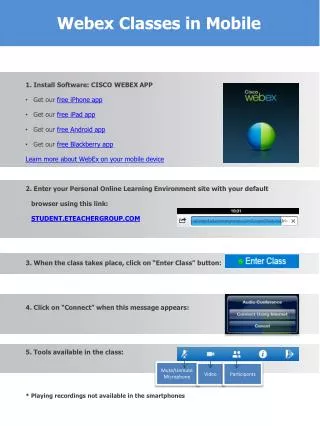
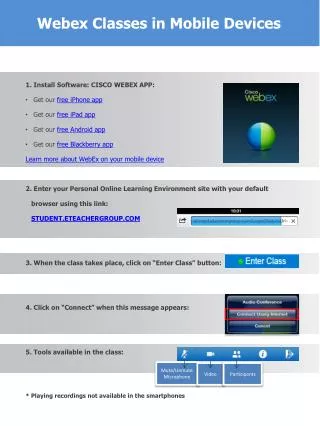
Webex Classes in Mobile Devices 1. Install Software: CISCO WEBEX APP: Get our free iPhone app Get our free iPad app Get our free Android app Get our free Blackberry app Learn more about WebEx on your mobile device 2. Enter your Personal Online Learning Environment site with your default browser using this link: STUDENT.ETEACHERGROUP.COM 3. When the class takes place, click on “Enter Class” button: 4. Click on “Connect” when this message appears: 5. Tools available in the class: * Playing recordings not available in the smartphones Mute/Unmute Microphone Video Participants