Creating Mosaics: Midterm Review and Procedures for Image Stitching
310 likes | 446 Vues
This announcement outlines the procedures for creating mosaics through panoramic stitching, as discussed in CSE 455. The midterm is due on February 12 at the start of class. Students are reminded of the basic procedure: capture a sequence of images from the same viewpoint, rotate the camera, compute transformations, and blend the images to create a seamless mosaic. Furthermore, it highlights the importance of homographies in image alignment and introduces RANSAC for robust correspondence fitting. Review office hours are available for additional assistance.


Creating Mosaics: Midterm Review and Procedures for Image Stitching
E N D
Presentation Transcript
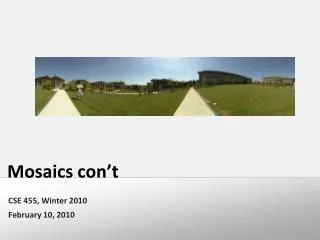
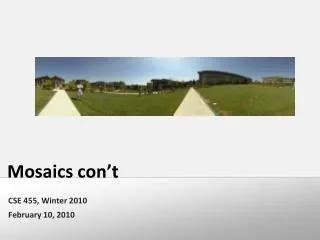
Mosaics con’t CSE 455, Winter 2010 February 10, 2010
Announcements • The Midterm: • Due this Friday, Feb 12, at the beginning of class • Late exams will not be accepted • Additional Office Hour today: • 2:30 to 3:30 in CSE 212 (the normal place)
How to do it? • Similar to Structure from Motion, but easier • Basic Procedure • Take a sequence of images from the same position • Rotate the camera about its optical center • Compute transformation between second image and first • Transform the second image to overlap with the first • Blend the two together to create a mosaic • If there are more images, repeat
Panoramic Stitching Input Goal
Aligning images • How to account for warping? • Translations are not enough to align the images • Homographies!!!
x4 x1 x3 x2 x5 x7 x6 Structure from Motion: Image reprojection p1,1 p1,3 p1,2 Image 1 Image 3 R3,t3 R1,t1 Image 2 R2,t2
Panoramas: Image reprojection x4 x1 x3 x2 x5 x7 x6 p1,2 Image 3 Image 2 Image 1 R3 R2 R1
mosaic plane Image reprojection • The mosaic has a natural interpretation in 3D • The images are reprojected onto a common plane • The mosaic is formed on this plane
black area where no pixel maps to Image warping with homographies image plane in front image plane below
Basic Procedure • Take a sequence of images from the same position • Rotate the camera about its optical center • Compute correspondence between second image and first • Compute transformation between second image and first • Transform the second image to overlap with the first • Blend the two together to create a mosaic • If there are more images, repeat ü
Basic Procedure • Take a sequence of images from the same position • Rotate the camera about its optical center • Compute correspondence between second image and first • Compute transformation between second image and first • Transform the second image to overlap with the first • Blend the two together to create a mosaic • If there are more images, repeat ü
Correspondence and Transformation • Compute correspondence between second image and first • Compute transformation between second image and first • What kind of transformation • Homography!!! • Do we know the correspondence?
Let’s come up with an algorithm • Guess some matches • Compute a transformation using those matches • Check if the transformation is good
RANSAC • Randomly choose a set of K potential correspondences • Typically K is the minimum size that lets you fit a model • How many for a • Translation • rotation? • Affine? • Homography? • Fit a model (e.g., translation, homography) to those correspondences • Count the number of inliers that “approximately” fit the model • Need a threshold on the error • Repeat as many times as you can • Choose the model that has the largest set of inliers • Refine the model by doing a least squares fit using ALL of the inliers
Computing image translations What do we do about the “bad” matches?
RAndom SAmple Consensus Select one match, count inliers(in this case, only one)
RAndom SAmple Consensus Select one match, count inliers(4 inliers)
Least squares fit Find “average” translation vectorfor largest set of inliers
RANSAC • Same basic approach works for any transformation • Translation, rotation, homographies, etc. • Very useful tool • General version • Randomly choose a set of K correspondences • Typically K is the minimum size that lets you fit a model • Fit a model (e.g., homography) to those correspondences • Count the number of inliers that “approximately” fit the model • Need a threshold on the error • Repeat as many times as you can • Choose the model that has the largest set of inliers • Refine the model by doing a least squares fit using ALL of the inliers
Basic Procedure • Take a sequence of images from the same position • Rotate the camera about its optical center • Compute correspondence between second image and first • Compute transformation between second image and first • Transform the second image to overlap with the first • Blend the two together to create a mosaic • If there are more images, repeat ü ü
Basic Procedure • Take a sequence of images from the same position • Rotate the camera about its optical center • Compute correspondence between second image and first • Compute transformation between second image and first • Transform the second image to overlap with the first • Blend the two together to create a mosaic • If there are more images, repeat ü ü
Assembling the panorama • Stitch pairs together, blend, then crop
Problem: Drift • Error accumulation • small errors accumulate over time
+ = 1 0 1 0 Feathering
0 1 0 1 Effect of window size left right
0 1 0 1 Effect of window size
0 1 Good window size • “Optimal” window: smooth but not ghosted • Doesn’t always work...