Download
1 / 11
How to access your “Z” Drive
110 likes | 627 Vues
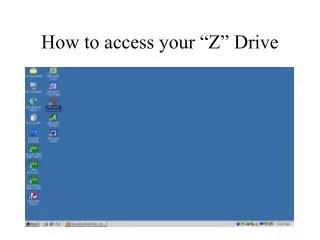
How to access your “Z” Drive. Right click on “ My Computer ”. Choose “ Map Network Drive ”. Choose “Z” from Drive menu. Type “\vienna.acc.winthrop.edu username ” (using your username) in the “ Folder ” box. Be sure to use “backslashes”!. Be sure “ Reconnect at logon ” is NOT checked.

Télécharger la présentation 
How to access your “Z” Drive
An Image/Link below is provided (as is) to download presentation
Download Policy: Content on the Website is provided to you AS IS for your information and personal use and may not be sold / licensed / shared on other websites without getting consent from its author.
Content is provided to you AS IS for your information and personal use only.
Download presentation by click this link.
While downloading, if for some reason you are not able to download a presentation, the publisher may have deleted the file from their server.
During download, if you can't get a presentation, the file might be deleted by the publisher.
E N D
Presentation Transcript
Type “\\vienna.acc.winthrop.edu\username” (using your username) in the “Folder” box Be sure to use “backslashes”!
Type “acc\username” in User name box Substitute your username. Be sure to use backslash. Don’t forget the “acc”












More Related