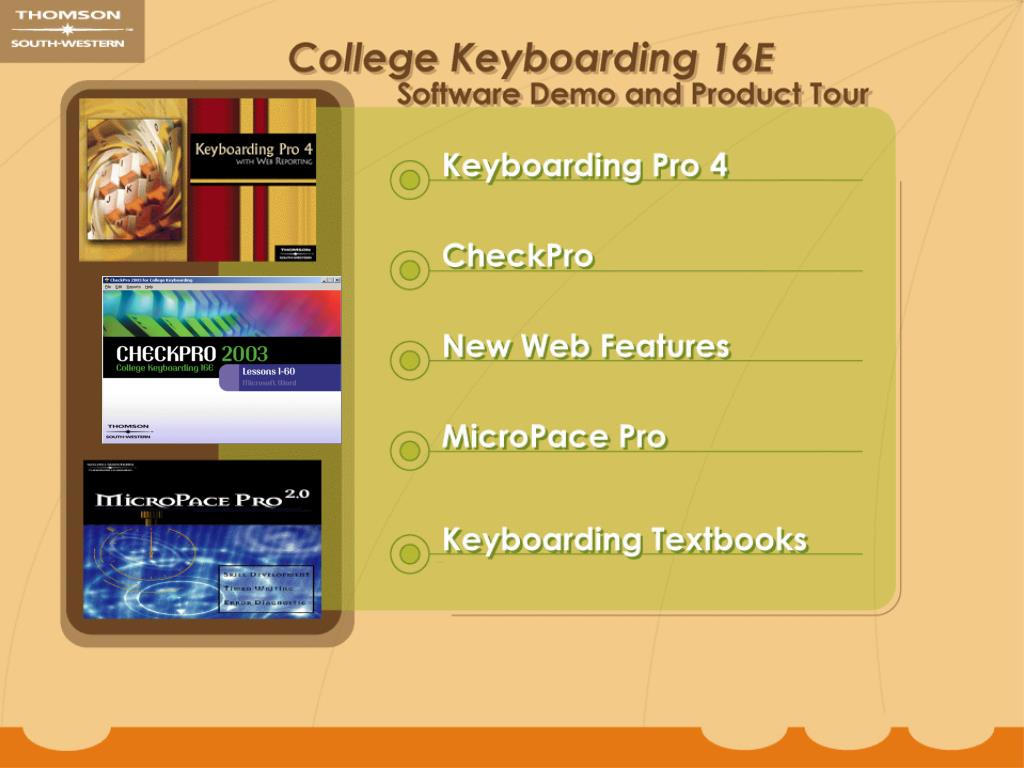
Contents. Keyboarding Pro provides alphabetic, numeric, keypad, and skill-building instruction. This is excellent software for learning and reviewing the keyboard. Keyboarding Pro.
Une image / un lien ci-dessous est fourni (tel quel) pour télécharger la présentation
Politique de téléchargement : le contenu du site vous est fourni TEL QUEL pour votre information et votre usage personnel ; il ne peut être vendu, concédé sous licence ni partagé sur d’autres sites sans l’accord de son auteur.Le contenu vous est fourni TEL QUEL, pour votre information et votre usage personnel uniquement.Téléchargez la présentation en cliquant sur ce lien.Lors du téléchargement, si vous ne parvenez pas à télécharger une présentation, l’éditeur a peut-être supprimé le fichier de son serveur.Pendant le téléchargement, si vous ne parvenez pas à obtenir une présentation, le fichier a peut-être été supprimé par l’éditeur.
The Textbook keying tab refers the student to the College Keyboarding 16E text to learn to type from copy rather than only from the screen. The program identifies numbers of errors and calculates GWAM for the student. Keyboarding Pro 6
The Skill Builder section of the software provides an additional 20 lessons of keying practice that are not found in the text. The emphasis of the timings can be on speed or accuracy depending on the needs of the user. Keyboarding Pro 13
Through the Skill Builder menu, diagnostic writings taken from the CollegeKeyboarding 16E text can be accessed. The Diagnostic Writings allow for 1, 3, or 5 minute timings and one or two spaces after a period for a variety of additional textbook keying options. Keyboarding Pro 14
The Numeric Keypad is taught in 4 lessons. An open screen is available for users to complete timings provided by the instructor. Diagnostic writings are included for additional practice. Keyboarding Pro 16
Three interactive games are included to keep the user interested and provide additional drill lines for practice. These games include two skill-building games for the keyboard and one for the numeric keypad. Keyboarding Pro 17
The most comprehensive report, the Lesson Report, gives the instructor a snapshot of the user’s progress throughout a lesson. The report notes if the backspace key was enabled for that particular lesson. The user’s typed copy and errors are printed on the report for the Textbook keying and Build skill tabs in the lesson. Keyboarding Pro 21
The Diagnostic Writings option allows the instructor to create diagnostic writings for users to access through the Build Skill section. Keypad Timed Writings can also be created by the instructor for additional skill-building practice. Keyboarding Pro 26
CheckPro is assessment software that provides immediate feedback on keyboarding and proofreading skills. The software checks drills, timings, selected documents, and production assessments from Lessons 26-120 of College Keyboarding 16E for speed and accuracy. CheckPro is assessment software that provides immediate feedback on keyboarding and proofreading skills. The software checks drills, timings, selected documents, and production assessments from lessons 26-120 of College Keyboarding 16E for speed and accuracy. CheckPro
From the Lesson menu, you can choose any activity, within that lesson. Checkmarks identify the activities that have been completed. From the Lesson menu, you can choose any activity within that lesson. Checkmarks identify the activities that have been completed. CheckPro 1
Skill-building activities within the lesson include feedback. A graphic of the keyboard is always on the screen so users can review the position of keys without looking away from the screen. A graphic of the keyboard is always on the screen so users can review the position of keys without looking away from the screen. CheckPro 2 Skill-building activities within the lesson include feedback.
Timed writings from the text are scored for speed and accuracy. Users are provided with a calculation of their GWAM and number of errors. Timed writings from the text are scored for speed and accuracy. Users are provided with a calculation of their GWAM and number of errors. Keying errors are identified on the screen and the printout with proofreader marks. Keying errors are identified on the screen and the printout with proofreader marks. CheckPro 3
The Document Analysis Report shows the number of passes the user made to correct the errors in the document, time spent on the document, keyboarding rate, types of errors, and more. The Document Analysis Report shows the number of passes the user made to correct the errors in the document, time spent on the document, keyboarding rate, types of errors, and more. CheckPro 6
The instructor may choose to update the class preferences including accuracy rate, backspace use, and spacing after punctuation. The instructor may choose to update the class preferences including accuracy rate, backspace use, and spacing after punctuation. CheckPro 16 The Instructor Utility offers a variety of options for instructor class management. The Instructor Utility offers a variety of options for instructor class management. The Instructor Utility offers a variety of options for instructor class management.
While in the Prepare Student Reports section, the instructor will select a class and student. While in the Prepare Student Reports section, the instructor will select a class and student. Select the type of report you would like to see. Select the type of report you would like to see. CheckPro 8
The Lesson Report displays time on document, speed, errors, and accuracy. The results for 2 passes and 3 edits for each exercise. The Lesson Report displays time on document, speed, errors, and accuracy. The results for 2 passes and 3 edits for each exercise. CheckPro 9
The Prepare Class Summary Report option gives a snapshot of student progress in relation to other members of the class. The Prepare Class Summary Reports option gives a snapshot of student progress in relation to other members of the class. CheckPro 13
The instructor may choose to view the class summary by document. The instructor may choose to view the class summary by document. This report provides very detailed information of the student’s skill in producing the document. This report provides very detailed information of the student’s skill in producing the document. CheckPro 15
MicroPace is a versatile timed writing and skill development program that can be used in any keyboarding class. Once users know the alphabetic keys, MicroPace helps increase speed and accuracy through timed writings, paced writings, and prescriptive drills. MicroPace Pro
The Timed Writing, Paced Writing, and Drill Practice routines in MicroPace can be used briefly each day to measure straight copy speed and accuracy. They can be used several times per week for longer skill-building sessions. MicroPace Pro 3
In Timed Writing routines, users key timed writings from the CollegeKeyboarding 16E text. Errors are shown by using proofreader’s marks and highlights. The total number of errors and rate are displayed in the top right corner to give users feedback on their progress. MicroPace Pro 4
Connexion au compte
Connectez-vous pour publier votre contenu sur SlideServe.