Maximizing IT Resources at Arizona State University's School of Earth and Space Exploration
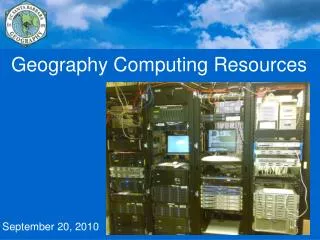
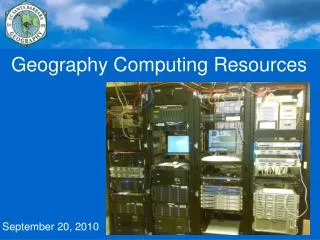
The Arizona State University School of Earth and Space Exploration provides a range of computing resources, including access to servers, network services, and software tools such as MATLAB and ArcGIS. To make the most of these resources, understanding their organization and how to securely save your work is crucial. If you encounter issues, reach out to the University Technology Office (UTO) or SESE Technology Support Office (TSO) for assistance. Ensure to save files in designated safe locations like the RAID high-reliability storage to avoid data loss.

Maximizing IT Resources at Arizona State University's School of Earth and Space Exploration
E N D
Presentation Transcript
Arizona State University School of Earth and Space Exploration Marvin Simkin Manager of Information Technology Computing Resources
Computing Resources • What is available? • How can I make the most of these resources? • How can I avoid losing my work?
How is ASU Organized? • University has many Colleges • College has many Schools • School has many Students
How is Information Technology at ASU Organized? • University Technology Office (UTO) • ASURITE ID • Campus network • Web services • Email • In summary, anything someone at other Schools within ASU would also have, UTO provides
How do I Contact UTO? • Web • http://www.asu.edu/support • Create a "case" • Email • HelpDesk@asu.edu • Phone • 480-965-6500
How is Information Technology at ASU Organized? • Technology Support Office (SESE TSO) • Servers for the School
How is Information Technology at ASU Organized? • Technology Support Office (SESE TSO) • Servers for the School • "GLG Domain“
How do I log in to the GLG domain? When you are done, do not Shut Down, just Log Out
Computer Classroom PSH461 • 20 Windows XP computers • Google Earth • Earth and Space Exploration • Celestia • Earth and Space Exploration • Help, Run Demo • Cortona VRML viewer • 3D data exploration
Computer Classroom PSH461 • ESRI ArcGIS Mapping software • MATLAB math and plotting software • Adobe Creative Suite • Open Office - http://openoffice.org • Free software, similar to Microsoft Office • Available for Windows, Mac, Linux • Can open and save Microsoft formats • Save as Microsoft format if sending to someone who does not have Open Office
What happens when I have problems? • Is it a University service? Contact UTO. • https://sesetso.asu.edu/wiki/index.php/How_to_Contact_the_University_Technology_Office • For School systems, contact SESE TSO: • http://helpdesk.la.asu.edu/ • SESE.TSO@asu.edu • 480-965-5572 • PSF675 8:00 AM to 5:00 PM M-F • Occasionally closed for meetings etc.
Include the machine name in your request - we can find it much faster Machines have names
Your Windows “Profile” • Your profile remembers your settings • Each computer has a separate profile • When you use a computer you did not use before, it will not know you • Network is not fast enough, and disk space is not big enough, to copy everyone’s profiles • Settings on one computer are not copied to other computers
Where to Save your Work? NOT HERE! SAVE HERE "My Documents" may be deleted without warning! "Z: Drive" is the RAID High Reliability Storage in the server room.
Any Machine Can Break • If you do not want to lose your work, make sure you have multiple copies • Make sure the copies are not all in one computer
For More Information https://sesetso.asu.edu/wiki/index.php/Introduction_to_Computing_at_SESE • How to Connect to ASU's Wireless Network • How to Add a Printer • SESE TSO Recommended Free Software