Computer Systems
This lesson explores the critical concepts of memory in computer systems, focusing on the differences between main memory and backing storage. Students will learn about the features and uses of RAM (Random Access Memory) and ROM (Read Only Memory), including their unique properties such as volatility and data retention. The lesson emphasizes the importance of memory addresses in identifying storage locations, and discusses backing storage devices used for permanent data storage. By the end, students will grasp fundamental memory concepts essential for understanding computer operations.

Computer Systems
E N D
Presentation Transcript
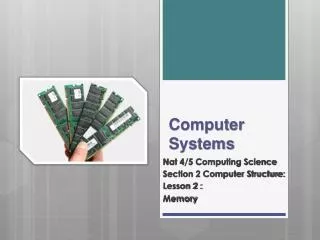
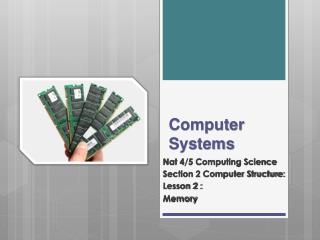
Computer Systems Nat 4/5 Computing Science Section 2 Computer Structure: Lesson 6: Memory
Lesson Aims By the end of this lesson: • Pupils will be able to: • Describe the difference between main memory and backing storage. • Describe of the features and uses of RAM and ROM. • Describe what is meant by a memory address
Nat 4/5 A quick recap • We are going to look at the Backing Storage and Memory Backing Storage Processor Input Devices Output Devices Memory
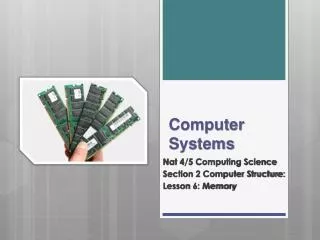
Nat 4/5 Main Memory Main Memory • Main memory falls into two types: • RAM • Random Access Memory • ROM • Read Only Memory RAM ROM
Nat 4/5 RAM – Random Access Memory • Nothing to do with male sheep! • RAM is the computers short term memory. • If a machine is quoted as having 2GB of Ram then it has 2GB into which programs and the operating system is loaded into. • RAM is volatile. • This means that it requires power to store data. • When power is lost the contents of RAM are lost.
Nat 4/5 ROM – Read Only Memory • There is a problem with just having RAM. • If the contents of RAM are lost then the power is Iost how does the computer know what to do when it switches on? • ROM (Read Only Memory) is memory that will always retain its contents even when power is lost. • This concept can be used by mobile phones to store their operating systems.
Nat 4/5 Addressability • Your house has a unique address, made up of street, town and postcode. • No two houses have the same address! • This is the same for memory in the computer • Memory is made up of thousands of millions of storage locations • Each storage location in memory has it’s own unique address so that the processor can locate it • This address is a binary value • e.g 1110100100101001
Nat 4/5 Backing Storage • Backing storage are devices used to store permanent copies of our files. • Examples are such as: • Hard Disk Drives • USB Flash Drives • Magnetic Tapes • CD/DVD R/RW • At this point in the course knowing their purpose is sufficient. More on these later!
Summary RAM (Random Access Memory) • Is used to store programs and the operating system • Is volatile, which means it loses its contents when there is no power ROM (Read Only Memory) • Contents cannot be changed and does not require power to hold data Backing Storage devices are used to store permanent copies of our files and data Nat 4/5
Questions • How can the processor identify each location in memory? • What type of memory stores the programs that the user is currently using? • What type of memory stores essential programs that make the computer work? • What type of memory is volatile?