Understanding Color Representation and Pixel Manipulation in Computer Graphics
This document explains the fundamentals of color values in computer images, emphasizing the RGB color model where colors are encoded as combinations of red, green, and blue, each represented by values from 0 to 255. It also covers pixel management using Cartesian coordinates and provides functions for manipulating black and white images, including creating canvases and setting pixel colors. Additionally, it introduces a turtle metaphor for guiding pixel changes, illustrating pixel movement through a specified algorithm.

Understanding Color Representation and Pixel Manipulation in Computer Graphics
E N D
Presentation Transcript
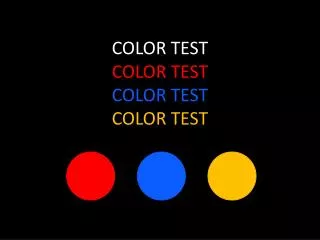
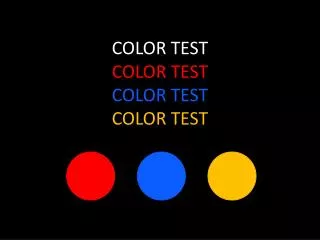
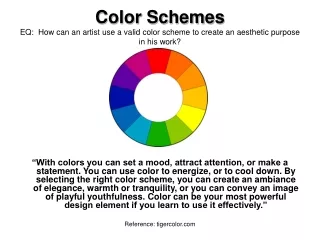
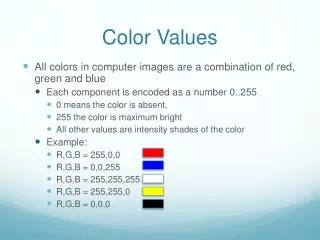
Color Values • All colors in computer images are a combination of red, green and blue • Each component is encoded as a number 0..255 • 0 means the color is absent, • 255 the color is maximum bright • All other values are intensity shades of the color • Example: • R,G,B = 255,0,0 • R,G,B = 0,0,255 • R,G,B = 255,255,255 • R,G,B = 255,255,0 • R,G,B = 0,0,0
Pixels and Coordinates • To make or change a picture, we need to assign values to the pixels • We can enumerate the pixels using Cartesian coordinates (column, row): • V = getPixel(c,r) would deliver the three components • setPixel(c,r,V) would set the three components to V • But what is V? 1,2 2,2 0,2 1,1 2,1 0,1 0,0 1,0 2,0
Pixel Values • For now, we restrict to black and white, as it simplifies our data structures: • setPixelToBlack(c,r) • setPixelToWhite(c,r) • setAllPixelsToWhite() • isPixelWhite(c,r) • isPixelBlack(c,r)
Making a B&W Picture • Need to create the pixel rectangle: • Canvas functions: • makeWhiteImage(width,height) • destroyImage() • Pixel assignment functions • setPixelToBlack(c,r) • setPixelToWhite(c,r) • setAllPixelsToWhite() • isPixelWhite(c,r) • isPixelBlack(c,r)
Example • makeWhiteImage(4,3)setPixelToBlack(0,0)setPixelToBlack(0,2)setPixelToBlack(2,1)setPixelToWhite(0,0)
Turtle Metaphor • Turtle moves across canvas, pixel by pixel, starts somewhere • Where the turtle is, it leaves a black pixel • Turtle can move N, S, E, W • Tell the turtle: • Where to start, here at position (1,4) • Where to move • Moves could be encoded as a string: “EESS”
Boundaries • What should happen if the turtle wants to move East but is at the border? • Could throw an error • Could stay put • Example: “EEE” • If we stay put, then turtle ignores going off raster • Then “EESS” is equivalent to “EEESS”
Turtle Algorithm • Recall the “read book” algorithm… • Turtle algorithm: • Get width, height of image; create white image • Get pos_x, pos_y of turtle • Make pixel (pos_x, pos_y) black • Get string S encoding turtle moves • While there remain characters of S not yet processed: • move turtle according to next character • make new pixel black
Parallels • Characters of S are like machine instruction • The “machine” is the infrastructure of marking turtle squares black and keeping the turtle on the rectangle of pixels • The instructions manipulating pixels are also machine instructions… • But that machine has a lower level of abstraction • CS is all about abstractions and conceptual machines