Integrated Manufacturing: Essential Skills in Microsoft Office Applications
190 likes | 300 Vues
This module focuses on the integration of computer systems in the manufacturing industry, emphasizing the importance of Microsoft Office skills for effective information processing and project management. Students will be assessed through practical tests in Word, Excel, and PowerPoint, alongside a final exam and a report. Essential class rules include lab attendance, collaboration guidelines, and resource availability. The course will illustrate the historical evolution of computing and highlight the significance of computer-controlled systems in modern manufacturing practices.


Integrated Manufacturing: Essential Skills in Microsoft Office Applications
E N D
Presentation Transcript
Module Requirements • Assessment: • Word Test 15% • Excel Test 15% • PowerPoint Test 15% • Final Test 35% • Report 20% • Class Rules: • Attend ALL labs • Collaborate but don’t copy • NO MOBILES
Course Texts • Available in the Print room or at UL’s ITD web site, • Word 2000 for Windows • Excel 2000 for Windows • PowerPoint 2000 for Windows • Labs start in Week 3 check on www.timetable.ul.ie
Additional Supports • ITD web site – Training & Help • Training Courses • Microsoft Office Courseware • Microsoft Office Guides • Online Guides to Microsoft Office • Web Interactive Guides for Office 2000 (On line version of Guides) • NetG Interactive Guides for Office 2000 (Spend some time on these over the next 2 weeks)
Why this module? • Very little works in manufacturing without Computers • Computer controlled machines, CAD, CIM, simulation, etc. • Good presentation gets good grades!
On-Line help • UL home page, Services, Select a service, NetG Courses – Excel, Word, PowerPoint • Ask for help in tutorials • Check regularly on the website for updates • www.staff.ul.ie/sburke/computers/
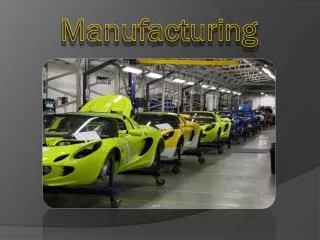
Compute Integrated Manufacturing • CIM: • The use of Computer Systems and Automation Systems to operate and control production.
Computers in Manufacturing • Information processing by computers • Design of components and systems • Controlling operations in production • Project planning & Controlling • Business related functions • Physical Activities performed by Automation Systems • Assembly stations, robotics, material transfer systems, inspection & quality control etc.
History of Computing • Mechanical Computers • 1600’s, 1700’s and 1800 • Blaise Pascal (1623-1662) The First Commercial Failure • Gottfried Liebniz (1646-1716) The First Commercial Success • Charles Babbage (1791-1871) The First Punched Cards • Ada Lovelace (1815-1852) The First Programmer • George Boole (1815-1864) The Founder of Information Theory • Herman Hollerith (1860-1929) The First Empire Builder
Hollerith’s Empire • 1896: The Tabulating Machine Company • 1911: Company merged with 2 others to form the Computing-Tabulated-Recording Company • 1924: Changed its name to International Business Machines (IBM) • 1944: First electronic computer developed in association with Dr Aiken of Harvard, Mark 1 • 8 feet high, 55 feet wide, 3 – 5 seconds to do a single multiplication operation
First Generation Computers 1951-1959 • 1953, IBM announces its first commercial computer, the IBM 701 • Sold 19 • Used vacuum tubes that continuously burned out • Were slow and unreliable • Coded using ‘machine language’, composed of 1 and 0 • Punched cards used to enter data and instructions
Second Generation Computers1959-1963 • Vacuum tubes replaced by transistors • Computers faster, smaller and more reliable • ‘High-level’ languages developed • Easier to understand • Not machine specific • Computers can communicate over telephone lines
Third Generation Computers1963-1975 • Invention of the integrated circuit in 1958 by Jack St Clair Kirby and Robert Noyce • Integrated circuits incorporate many transistors and electronic circuits on a single chip • Computers as cheap as 1st generation but faster and more memory • DEC produced the first minicomputer in 1965, IBM dominated the mainframe market
Fourth Generation Computers1975-Now? • Early ’70s Intel developed Intel 4004, the first microprocessor • 1975, MITS Altair became the first commercially available microcomputer using the Intel 8080 • 1977, Apple Computer Inc. founded • 1979, VisiCalc, first spreadsheet released • 1981, IBM released the Personal Computer (PC) • Intel microprocessor • Microsoft Operating System (OS)
Ask the Audience! • DOS stands for: • Developing Object Software • Disk Operating System • Diagram Of System • If you wanted to write a letter which of the following applications would you use: • MS Write • MS Word • WordStar
MS Excel is primarily used to: Speed up the computer Produce computer graphics Manipulate data The X in the top right hand corner of a window is used to: Close the window Turn off the computer Clear the screen
In most Microsoft applications the Save function can be found which menu: • Tools • Edit • File • In the acronym HTML the M stands for: • Machine • Markup • Microsoft
Within Microsoft applications text can be underlined by holding down which keys: • Ctrl + U • Ctrl + L • Alt + L • Once a file is deleted it is: • Removed from the hard disk • Removed from RAM • Put into the recycle bin
A file with a .bmp extension is: • A binary methods file • A project file • A graphics file • Which of the following is not an Internet browser: • Internet Explorer • Microsoft Outlook • Netscape Navigator