Guidelines for HUIT PowerPoint Presentations
90 likes | 212 Vues
This comprehensive guide provides essential guidelines for creating effective PowerPoint presentations for HUIT. Learn how to navigate the POTX template, format your slides with recommended fonts and colors, and ensure clarity and professionalism in your presentation layout. Key tips include numbering slides, proper header formatting, and using specific color schemes for transitions. Whether you're preparing an agenda or a thank-you slide, these visual and technical recommendations will enhance your presentations and deliver your message effectively.


Guidelines for HUIT PowerPoint Presentations
E N D
Presentation Transcript
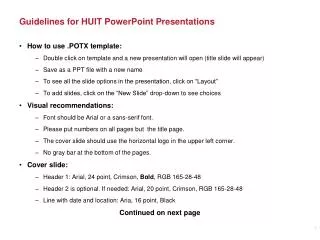
Guidelines for HUIT PowerPoint Presentations • How to use .POTX template: • Double click on template and a new presentation will open (title slide will appear) • Save as a PPT file with a new name • To see all the slide options in the presentation, click on “Layout” • To add slides, click on the “New Slide” drop-down to see choices • Visual recommendations: • Font should be Arial or a sans-serif font. • Please put numbers on all pages but the title page. • The cover slide should use the horizontal logo in the upper left corner. • No gray bar at the bottom of the pages. • Cover slide: • Header 1: Arial, 24 point, Crimson, Bold, RGB 165-28-48 • Header 2 is optional. If needed: Arial, 20 point, Crimson, RGB 165-28-48 • Line with date and location: Aria, 16 point, Black Continued on next page
Guidelines for HUIT PowerPoint Presentations (continued) • Agenda slide: • Header : Arial, 20 point, Crimson, Bold, RGB 165-28-48 • Bullets: Arial, 16 point, Black. Can be numbers, bullet points, or another format. • Transition slide: • Option 1 Crimson background, White Text (Header 5): Arial, 44 point (for presentations) • Option 2 White background, Crimson Text: Arial, 44 point (easier for printing) • Slide with one header line: • Header: Arial, 20 point, Bold, Crimson, RGB 165-28-48 • Text: Arial, 16 point, Black • Slide with two header lines: • Top line (Header 1): Arial, 18 point, Italic Crimson, RGB 165-28-48 • Second line (Header 2): Arial, 20 point, Bold, Crimson, RGB 165-28-48 • Text : Arial, 16 point, Black • Thank you slide (if needed) has 2 options: • White background with Crimson text, Arial, 44 point, RGB 165-28-48 • Crimson background with white text, Arial, 44 point
Header 1 Board of Overseers Standing Committee on Finance, Administration and Management Information Technology at Harvard: Annual Briefing Header 2 (optional) December 4, 2011 | 10:15 a.m. – 11:15 a.m. | Wasserstein Hall, HLS Date/Time/Location
Agenda Header • Visiting Committee Review • Recent Accomplishments • Looking Forward – FY12 Goals and Priorities • Q & A Bullets
Transition (Option 1) Visiting Committee Review
Recommendations from Visiting Committee Header • Governance and planning matters • Funding matters; incent institutional goals • Assure the success and sustain the change Bullets 16 point
Header 1 Visiting Committee Review Recommendations Header 2 • Governance and planning matters • Funding matters; incent institutional goals • Assure the success and sustain the change
Q & A 44 point
Thank you! 44 point