Download
1 / 14
140 likes | 273 Vues
This is my first web page, showcasing various HTML elements including headings, formatting, lists, and images. It includes intra-document links for easy navigation and examples of external links to useful resources. You will find demonstrations of HTML tags in action, such as ordered and unordered lists, definitions, and images. Created by Mark Jensen, this introductory page serves as a basic guide for those starting to learn HTML.

E N D
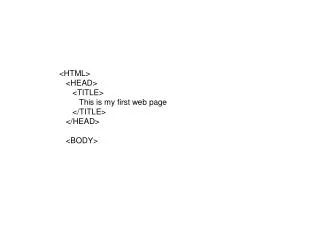
<HTML> <HEAD> <TITLE> This is my first web page </TITLE> </HEAD> <BODY>
<P ALIGN="CENTER"> <A NAME="MENU"></A> <B>Intra-Document Links</B><BR> <A HREF="#HEADINGS">Headings Tags</A><BR> <A HREF="#FORMAT">Formatting Tags</A><BR> <A HREF="#LISTS">List Tags</A><BR> <A HREF="#PICT">Image Tags</A><BR></P>
<P ALIGN="CENTER"> <B>External Links</B><BR> <A HREF="http://www.google.com">Google</A><BR> <A HREF="http://www.kpc.alaska.edu">Kenai Peninsula College</A><BR> <A HREF="http://chinook.kpc.alaska.edu/~inmej">Class Web Page</A><BR> </P> <HR>
<P> <A NAME="HEADINGS"></A> <B>This is an example of the Heading tags!</B> </P> <CENTER> <P><H1>Heading 1</H1><p></P> <P><H2>Heading 2</H2><p></P> <P><H3>Heading 3</H3><p></P> <P><H4>Heading 4</H4><p></P> <P><H5>Heading 5</H5><p></P> <P><H6>Heading 6</H6><p></P> </CENTER> <A HREF="#MENU">Back to the Menu</A> <HR>
<P> <A NAME="FORMAT"></A> <B>This is an example of the Formatting tags!</B> </P> <B>This line will be bold!</B><BR> <U>This line will be underlined</U><BR> <I>This line will be italic</I><P></P> <A HREF="#MENU">Back to the Menu</A> <HR>
<P> <A NAME="LISTS"></A> <B>This is an example of the List tags!</B> </P> <B>Menu List Tag:(Same as unordered list)</B><BR> <Menu> <LI>Menu Item 1 </LI> <LI>Menu Item 2 </LI> <LI>Menu Item 3 </LI> </MENU> <P></P>
<B>Ordered List Tag:</B><BR> <OL> <LI>List Item 1</LI> <LI>List Item 2</LI> <LI>List Item 3</LI> </OL> <P></P>
<B>Unordered List Tag:</B><BR> <UL> <LI>List Item 1</LI> <LI>List Item 2</LI> <LI>List Item 3</LI> </UL> <P></P>
<B>Directory List Tag:(Same as unordered list)</B><BR> <DIR> <LI>List Item 1</LI> <LI>List Item 2</LI> <LI>List Item 3</LI> </DIR> <P></P>
<B>Definition List:</B><BR> <DL> <DT>Term 1</DT> <DD>Definition of term 1</DD> <DT>Term 2</DT> <DD>Definition of term 2</DD> <DT>Term 3</DT> <DD>Definition of term 3</DD> </DL> <P></P> <A HREF="#MENU">Back to the Menu</A> <HR>
<P ALIGN="CENTER"> <A NAME="PICT"></A> <B>Image Tag Example</B><BR><BR> <IMG SRC="Deer.jpg"><BR> This is a picture of a white deer! </P> <A HREF="#MENU">Back to the Menu</A> <HR> </BODY> </HTML>
<table width="95%" border="0"> <tr> <td> </td> <td> </td> <td> </td> <td> </td> </tr> <tr> <td> </td> <td> </td> <td> </td> <td> </td> </tr> <tr> <td> </td> <td> </td> <td> </td> <td> </td> </tr> </table>