Download
1 / 9
90 likes | 209 Vues
Learn how to utilize PowerPoint to create dynamic PowerCasts, blending lectures with audio narration. This guide facilitates continuous narration of slides, allowing educators to record individual slide voices, edit audio content, and manage slide timings easily. Ideal for both classroom settings and online learning, the instructions detail how to record, preview, and adjust narration within your presentation. Complete the follow-up assignment for an in-depth understanding. Get ready to revolutionize your lecture delivery with this practical approach!

E N D
How to Use PowerPointto Create PowerCasts Dr. Steve Broskoske Misericordia University
What Is a Podcast? + = podcast iPod broadcast
What Is a Podcast? • podcast: An audio (and possibly video) recording that can be listened to (and viewed) via an iPod, other MP3 player, a computer, or a mobile computing device. • PowerCast: Easily record a lecture within an existing PowerPoint presentation.
Narrate an Entire Slideshow • PowerPoint will allow you to record continuous narration (lecture) as you run the slideshow as you usually would in class. • As you narrate, the time you spend on each slide is also recorded. (You can optto use or dismiss the slide timingsat any time.)
Edit the Narration • In reality, PowerPoint records a separate narration for each slide. This allows you to: • Preview each slide narration individually. • Edit the sound for each slide individually. • Begin re-recording from a particular slide, stopping at any point.
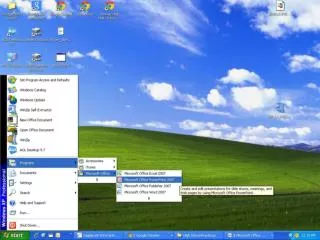
Steps in Recording Narration • Select slideshow—record narration. Select this tool to begin recording the narration.
Steps in Recording Narration • After you hit “OK,” the presentation will run as usual. • Recording begins immediately. Begin speaking. • Advance slides by clicking as usual. • If you are using custom animation, click during narration as usual. • Hit ESC to end early, OR record until you hit the end of the presentation.
Steps in Recording Narration • When completed, the system will ask if you want to save the slide timings.
Assignment • As a follow-up to this PowerCast, you are asked to complete and submit a written assignment. • Due Date: Check our course Web page. • We will hold a discussion about the material presented in this PowerCast in class. • If you have any questions on the material presented, please e-mail me.