Understanding Relational Databases: Key Features, Query Language, and Data Security
This lecture explores the fundamental principles of relational databases, including the use of key fields for unique identification of records, establishing relationships between tables, and maintaining data integrity through file management. It introduces Structured Query Language (SQL) for data manipulation and retrieval, highlighting its importance in web applications. Additionally, the lecture covers database security measures against theft, damage, and privacy breaches, emphasizing the need for a disaster recovery plan and regular data backups to ensure organizational resilience.

Understanding Relational Databases: Key Features, Query Language, and Data Security
E N D
Presentation Transcript
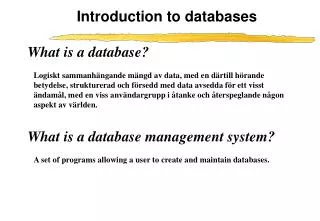
Introduction to Databases 2 Lecture 2
Relational Database • Relational databases work on the principle that each table has a key field that uniquely identifies each row, and that these key fields can be used to connect one table of data to another. • Consider a table student below. Which field uniquely identifies each record? • ID or Phone, but not name
Contd.. Student • Data in relational databases is stored in different tables, each having a key field that uniquely identifies each row. • In relational databases, a relationship is created between different tables. What relation is there between the tables shown on the right? • Relational databases connect data in different files by using common data elements or a key field. What is the address of the student with ID=2009477321? Student-Address
File maintenance Keeping data current • Adding records • A new customer, product, transaction etc • Changing (editing) records • New address, change of name etc • Deleting records • Person leaves, product no longer stocked etc • Usually a record is not deleted, but is flaggede.g. a customer is marked "inactive" • The data remains, but is not included in current activity
Forms • File maintenance is often carried out using a form • Same data,different view
Data validation • Comparing data to a set of rules to make sure the data is correct • Five common validity checks:
Query Language • Query language allows the user to interact directly with the database software in order to perform information-processing tasks using data in a database. • It is usually an easy-to-use computer language that relies on basic words such as SELECT, DELETE, or MODIFY. • Using query language a user enters commands that instruct the DBMS to retrieve data from a database or update data in a database.
Structured Query Language (SQL) • Structured Query Language (SQL) is one type of query language that is widely used to perform operations using relational databases. • SQL can be used to retrieve information from related tables in a database or to select and retrieve information from specific rows and columns in one or more tables. • One of the keys to understanding how SQL works in a relational database is to realize that each table and column has a specific name associated with it. • In order to query a table, the user specifies the name of the table (indicating the rows to be displayed) and the names of the columns to be displayed. • For example consider the table “Student” given before, suppose we know the ID, and want to display the name, then the query would be- • SELECT name FROM STUDENT where ID=2009477321
Web and the databases • Behind many web sites there is a database • The web page is the front end (client side) • The database is the back end (server side) • For example a web site that sells books online may have following fields in their database tables • Books in stock • Customers • Orders • Shipping • A CGI script links the web page and the database • A customer supplies his/her information and then all the information is transported to the database.
Database security • Because data is so vital to an organisation, security is very important • Security from theft or fraud • Security from damage • Security for privacy
Security from theft or fraud • Threats from within or outside the organisation • Most danger is from employees • Access controls • Physical access - doors, windows etc • Electronic access • Firewalls • Login names and passwords • Biometric controls • Procedural controls • Double checks • Job rotation, job sharing
Security from damage • Accidental damage - "human error" • Data checking and validation • Restrict user rights (e.g. can't delete) • Environmental risks • Fire, storm, flood, power fluctuation • Secure, safe buildings • Power smoothers and uninterruptible power supply (UPS) • In all cases, a good backup system
Security for privacy • Privacy of the people the organisation holds information about • Doctor-patient, lawyer-client confidentiality etc • Sometimes national laws • Privacy of the company information • "The secret recipe"; car company's designs for next year's model; industrial secrets
Disaster recovery plan • All organisations should plan before disaster strikes • Emergency plan • What to do at the time • Backup plan • How to restore equipment and data • Recovery plan • How to get back to full operability • Test plan • How to test the above
Backup systems • Frequent Backups are required to ensure data recovery. • If you are not taking backups your organisation may loose important data. • Backup methods on next slide • For personal backup • Use a USB stick, CD-R, DVD-R or similar • Store it away from your computer • For important data, keep at least three copies