Easy Temperature Recording Guide for Daily Use
Follow these simple steps to record current temperature, maximum and minimum temperatures, and reset the unit for tomorrow. Keep track of your observations effortlessly!

Easy Temperature Recording Guide for Daily Use
E N D
Presentation Transcript
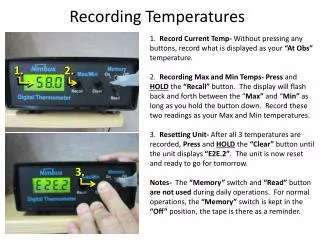
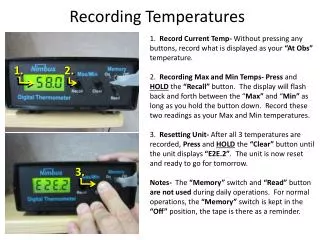
1. Record Current Temp- Without pressing any buttons, record what is displayed as your “At Obs” temperature.2. Recording Max and Min Temps-Press and HOLD the “Recall” button. The display will flash back and forth between the “Max” and “Min” as long as you hold the button down. Record these two readings as your Max and Min temperatures.3. Resetting Unit- After all 3 temperatures are recorded, Press and HOLD the “Clear” button until the unit displays “E2E.2”. The unit is now reset and ready to go for tomorrow.Notes- The “Memory” switch and “Read” button are not used during daily operations. For normal operations, the “Memory” switch is kept in the “Off” position, the tape is there as a reminder. 1. 2. Recording Temperatures 3.