Degree Audit Batch Instructions
This guide outlines the process for submitting multiple interactive degree audits simultaneously, a useful tool for advisors managing large numbers of requests, particularly during peak advising times like graduation and orientation. By sending an email to DARS-Q@ASU.edu with the required student information in the specified format, advisors can receive the resulting degree audits the following morning, available for 14 days. This efficient approach helps to streamline advising efforts for graduating seniors.

Degree Audit Batch Instructions
E N D
Presentation Transcript
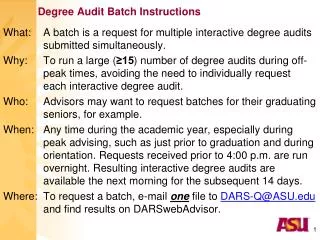
Degree Audit Batch Instructions What: A batch is a request for multiple interactive degree audits submitted simultaneously. Why: To run a large (≥15) number of degree audits during off-peak times, avoiding the need to individually request each interactive degree audit. Who: Advisors may want to request batches for their graduating seniors, for example. When: Any time during the academic year, especially during peak advising, such as just prior to graduation and during orientation. Requests received prior to 4:00 p.m. are run overnight. Resulting interactive degree audits are available the next morning for the subsequent 14 days. Where: To request a batch, e-mail one file to DARS-Q@ASU.edu and find results on DARSwebAdvisor. 1
List of students for whom to run audits for theirdefault degree programs (ID in column E). Stu.ID 2
List of students for whom to run unmet requirements for their default degree programs (N in column I). Unmet Stu.ID 3
List of students for whom to run audits for specifieddegree programs (column L) and catalogs (column M). Stu.ID DPROG CatYr 4
Degree Audit Batch Instructions • If you need to run audits for specified degree programs (other than the default), remember: • DPROG is in the format: • AA BB CC in which • AA = 2-character college code, • BBB = DARS major code, • CC = 2-4 character degree code • All separated by spaces and as determined by DARS(not necessarily the same as PeopleSoft plan codes). • CATYR is in the format: • YYYYT in which • YYYY = 4-digit year • T = 1-digit term (‘7’ for Fall). • Refer to the DARS Crosswalk in PeopleSoft: • ASU Customizations ASU Student RecordsDARS DARS Crosswalk 5