Integrating Technology in ESL Instruction Workshop
110 likes | 212 Vues
Explore various types of technology like computer labs, mobile devices, and social media for ESL classrooms. Learn about web tools, podcasts, blogs, and more. Enhance language learning through collaborative digital resources. Discover the benefits of incorporating technology in ESL education.


Integrating Technology in ESL Instruction Workshop
E N D
Presentation Transcript
Using Social Media & Technology in ESL Instruction CynHatch,B.EdSecondary Arts, MA TESOL (exp. 2011)
In this workshop we will: • Discuss the types of technology used in ESL classrooms. • Present types of technology appropriate for different skill types. • Answer teachers’ questions about how they can learn more about the types of technology discussed. • Provide “how to” links for additional information.
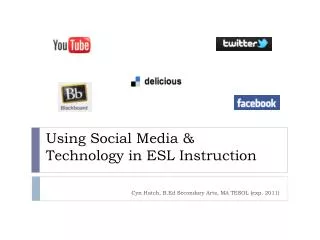
Technology in ESL Instruction • Computer and audio/visual equipment • Computer labs • Mobile devices • smart phones • tablets • video cameras • Podcasts and YouTube • Blogs • Twitter and Texting • Blackboard • Facebook and IM • Wikis • Social Bookmarking
Why Should We Use Technology in ESL? • Web tools are increasingly collaborative and foster self-directed learning—key principles of adult SLA instruction • Workplaces and colleges increasingly require digital literacy • Colleges try to engage students with the content outside of the classroom • Devices enable both content and learning to be highly mobile • Devices are ubiquitous and are used recreationally
Applications of Technology • Listen to podcasts or music, and watch YouTube videos • Authentic, theme-based supplemental reading and listening • Podcasts used in 1975: Music used in 1894: • Voice of America “Cold Feet” Tracy Chapman • This American Life • California Distance Videos used in 1975:Learning Project “Seinfeld” • http://www.thisamericanlife.org/radio-archives/episode/431/see-no-evil • http://www.youtube.com/watch?v=ZbJ3kfTS_Qg • http://www.youtube.com/watch?v=NGVSIkEi3mM
Applications of Technology (cont.) • Blog • Promotes connection to content outside of class • Provides authentic reason for writing • Blogs used in ESLA1975/85: • Author’s blogs • Student-created blogs
Applications of Technology (cont.) • Audio or video record interviews role plays, presentations, debates, etc. • Speaking output and viewing input • http://www.youtube.com/watch?v=zXNDXPG1gN8 • “Her pronunciation was pretty good. She spoke slowly and clearly.” • “She used eye-contact while she's saying, but it's not often. She still looks at the note.” • “It'd better if she uses body gestures often because it'll reduce somewhat the pressure in her.” • “It will help the conversation between the speaker and the listener that is more exciting.”
Applications of Technology (cont.) • Facebook • Conduct polls for research • Post videos for students to comment on • Utilize a familiar environment • Blackboard • Collaborative tool • Content management system
Applications of Technology (cont.) • IM, tweeting, and texting • Replicate spoken exchanges in writing • Collaborative research and information sharing
Applications of Technology (cont.) • Wikis • Collaborative writing tool • https://blackboard.american.edu/webapps/portal/frameset.jsp?tab_tab_group_id=_2_1&url=%2Fwebapps%2Fblackboard%2Fexecute%2Flauncher%3Ftype%3DCourse%26id%3D_28701_1%26url%3D • Social Bookmarking • Resource sharing and collaborative tool • http://www.delicious.com/cynhatch3
Where Do I Learn More? • How to blog using Wordpress.com • http://learn.wordpress.com • How to video record using a Flip camera • http://support.theflip.com/en-us/home • How to social bookmark using Delicious • http://www.delicious.com/help/getStarted • Links to Podcasts and Articles Used in 1975: • http://www.thisamericanlife.org/radio-archives/episode/431/see-no-evil • http://www.voanews.com/learningenglish/home • http://www.cdlponline.org