Engaging Name Recognition Activity with WiggleWorks ELC
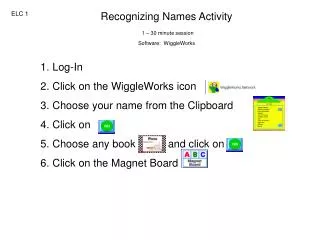
Enhance children's name recognition skills with a fun 30-minute session using WiggleWorks ELC. Start by logging in and selecting your name from the Clipboard. Choose a book to explore, then engage with the interactive Magnet Board to drag and arrange the letters of your name. For added fun, click on the Volcano feature and practice dragging your name back into the correct order. Expand the activity by selecting a friend's name card and repeating the process. This interactive approach fosters collaboration and reinforces identity recognition in a playful learning environment.

Engaging Name Recognition Activity with WiggleWorks ELC
E N D
Presentation Transcript
Recognizing Names Activity 1 – 30 minute session Software: WiggleWorks ELC 1 • Log-In • Click on the WiggleWorks icon • Choose your name from the Clipboard • Click on • Choose any book and click on • Click on the Magnet Board
Recognizing Names Activity 1 – 30 minute session Software: WiggleWorks ELC 1 • Click and drag the letters of your name to the board. • Click on the Volcano • Click on your name • Click and drag your name back in order. • Choose a Friend’s Name Card • and Repeat