
SlideServe
Menu
Préférences
© SlideServe · v2026

Control Structures: Algorithms, Pseudocode, and Repetition Techniques

konane avatar
15 diapositives · 302 Views · Jan 03, 2013

Control structures foundational to programming, focusing on algorithms and pseudocode. It covers essential selection structures like if, unless, and their combinations, including if/else statements. Repetition structures such as while, do/while, and until are analyzed through case studies that highlight counter-controlled and sentinel-controlled repetition. Practical examples are provided using Perl to illustrate concepts in a clear manner, making it easier for readers to grasp the significance of control structures in algorithm formulation and implementation.
Control Structures: Algorithms, Pseudocode, and Repetition Techniques - slide 1
01 / 15Control Structures: Algorithms, Pseudocode, and Repetition Techniques
1 / 17

Télécharger la présentation

Control Structures: Algorithms, Pseudocode, and Repetition Techniques
Une image / un lien ci-dessous est fourni (tel quel) pour télécharger la présentation

Politique de téléchargement : le contenu du site vous est fourni TEL QUEL pour votre information et votre usage personnel ; il ne peut être vendu, concédé sous licence ni partagé sur d’autres sites sans l’accord de son auteur.Le contenu vous est fourni TEL QUEL, pour votre information et votre usage personnel uniquement. Téléchargez la présentation en cliquant sur ce lien. Lors du téléchargement, si vous ne parvenez pas à télécharger une présentation, l’éditeur a peut-être supprimé le fichier de son serveur.Pendant le téléchargement, si vous ne parvenez pas à obtenir une présentation, le fichier a peut-être été supprimé par l’éditeur.

F I N

Plus de contenu associé

Transcription de la présentation
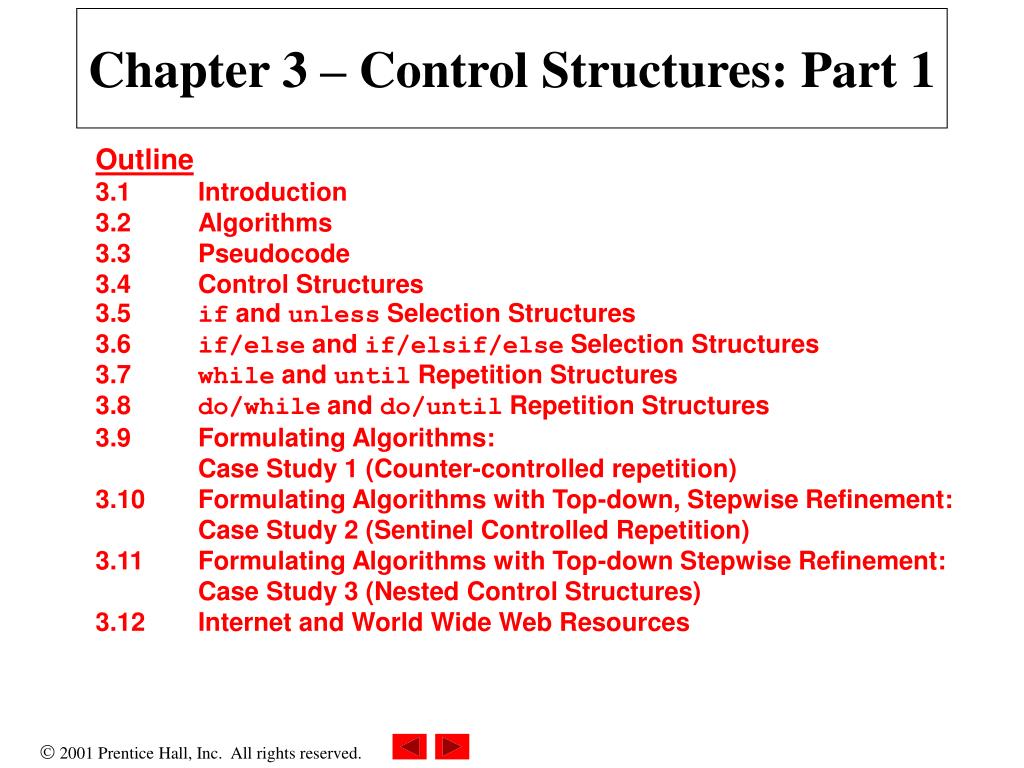
  1. Chapter 3 – Control Structures: Part 1 Outline3.1 Introduction3.2 Algorithms3.3 Pseudocode3.4 Control Structures3.5 if and unless Selection Structures3.6 if/else and if/elsif/else Selection Structures3.7 while and until Repetition Structures3.8 do/while and do/until Repetition Structures3.9 Formulating Algorithms: Case Study 1 (Counter-controlled repetition)3.10 Formulating Algorithms with Top-down, Stepwise Refinement: Case Study 2 (Sentinel Controlled Repetition)3.11 Formulating Algorithms with Top-down Stepwise Refinement: Case Study 3 (Nested Control Structures)3.12 Internet and World Wide Web Resources

  2. add 1 to counter $counter = $counter + 1; $total = $total + $grade; add grade to total

  3. print “Earned bonus!” print “You did not earn your bonus.” sales >= 50 sales >= 50 if selection structure true $total = $total + grade; false unless selection structure false $counter = $counter + 1; true

  4. print “You did not earn your bonus.” print “Earned bonus!” $sales >= 50 false true print “You did not earn your bonus.” print “Earned bonus!” Fig. 3.3 Flowcharting the double-selection if/else control structure.

  5. $product = 2 * $product true $product <= 1000 $product = 2 * $product $product <= 1000 false Fig. 3.4 Flowcharting the while repetition structure.

  6. 1 #!/usr/bin/perl 2 # Fig. 3.5: fig03_05.pl The do/while repetition structure repeatedly prints the value of value of variable $counter while the variable is less than or equal to 10. 3 # Using the do/while repetition structure 4 5 $counter = 1; After the each execution of the body of the loop, the control variable $counter is pre-incremented. 6 7 do { 8 print "$counter "; 9 } while ( ++$counter <= 10 ); 10 11 print "\n"; 1 2 3 4 5 6 7 8 9 10

  7. 1 #!/usr/bin/perl 2 # Fig. 3.6: fig03_06.pl 3 # Using the do/until repetition structure The do/until repetition structure repeatedly prints the value of variable $counter until the variable is equal to 0. 4 5 $counter = 10; 6 After the each execution of the body of the loop, the control variable $counter is pre-decremented. 7 do { 8 print "$counter "; 9 } until ( --$counter == 0 ); 10 11 print "\n"; 10 9 8 7 6 5 4 3 2 1

  8. print “$counter “; true ++counter <= 10 false print "$counter "; --$counter == 0 Fig. 3.7 Flowcharting the do/while repetition structure.

  9. print "$counter "; --$counter == 0 print “$counter “; false --counter == 0 true Fig. 3.7 Flowcharting the do/until repetition structure.

  10. 1 #!/usr/bin/perl 2 # Fig. 3.10: fig03_10.pl 3 # Average-sales problem with counter-controlled repetition 4 Displays a prompt to the user for the next sales amount. 5 # initialization phase The value the user inputs is stored in variable $sales. Function chomp immediately removes the newline character from the input value. 6 $total = 0; # clear total The while structure executes while $weekCounter is less than or equal to 10. 7 $weekCounter = 1; # prepare to loop 8 The program updates $total with the new $sales value entered by the user. 9 # processing phase Assigns the result of the averaging calculation to variable average. Adds 1 to variable $weekCounter so the condition in the while structure will eventually become false. 10 while ( $weekCounter <= 10 ) { # loop 10 times 11 12 # prompt for input and input a sales value 13 print "Enter sales for week $weekCounter: "; 14 chomp( $sales = <STDIN> ); 15 16 $total += $sales; # add sales to total 17 ++$weekCounter; # increment counter 18 } 19 20 $average = $total / 10; # divide to find average 21 print "\nSales averaged $average computers per week\n";

  11. Enter sales for week 1: 56 Enter sales for week 2: 52 Enter sales for week 3: 64 Enter sales for week 4: 72 Enter sales for week 5: 56 Enter sales for week 6: 58 Enter sales for week 7: 62 Enter sales for week 8: 63 Enter sales for week 9: 48 Enter sales for week 10: 52 Sales averaged 58.3 computers per week

  12. 1 #!/usr/bin/perl 2 # Fig. 3.12: fig03_12.pl 3 # Average-sales problem with sentinel-controlled repetition The until structure executes until the user enters the sentinel value. Receive input from user before entering until structure. 4 5 $total = 0; The if/else structure determines whether any values have been entered by the user. The program updates $total with the new $sales value entered by the user. 6 $weekCounter = 0; The next value is entered by the user before the end of the until structure’s body. 7 8 print "Enter sales for week or enter quit: "; If variable $weekCounter is 0, a string is output indicating that no values have been entered. 9 chomp( $sales = <STDIN> ); If values have been entered, the program calculates and outputs the average of all values. 10 11 until ( $sales eq 'quit' ) { 12 $weekCounter++; 13 $total += $sales; 14 print "Enter sales for week or enter quit: "; 15 chomp( $sales = <STDIN> ); 16 } 17 18 if ( $weekCounter != 0 ) { 19 $average = $total / $weekCounter; 20 print "\nSales averaged $average computers per week.\n"; 21 } 22 else { 23 print "\nNo sales figures were entered.\n"; 24 }

  13. Enter sales for week or enter quit: 57 Enter sales for week or enter quit: 86 Enter sales for week or enter quit: 52 Enter sales for week or enter quit: 48 Enter sales for week or enter quit: quit Sales averaged 60.75 computers per week

  14. 1 #!/usr/bin/perl 2 # Fig. 3.14: fig03_14.pl 3 # Analysis of sales results 4 The while structure executes while variable $employeeCounter is less than or equal to 10. 5 # initialize loop variables 6 $metQuota = 0; # employees who met quota 7 $didNotMeetQuota = 0; # employees who did not meet quota The conditional operator increments variable $metQuota if the user has entered yes. Variable $didNotMeetQuota is incremented if the user has entered no. 8 $employeeCounter = 1; # employee counter If variable $metQuota’s value is greater than 8, a string is output to the user indicating that holiday bonuses should be raised. 9 10 # process 10 employees; counter-controlled loop 11 while ( $employeeCounter <= 10 ) { 12 print "Enter quota result, (yes or no): "; 13 chomp( $result = <STDIN> ); 14 15 # conditional operator nested in while 16 $result eq 'yes' ? ++$metQuota : ++$didNotMeetQuota; 17 18 $employeeCounter++; 19 } 20 21 # termination phase 22 print "\nMet quota: $metQuota\n"; 23 print "Failed to meet quota: $didNotMeetQuota\n"; 24 25 if ( $metQuota > 8 ) { 26 print "Raise holiday bonuses!\n"; 27 }

  15. Enter quota result, (yes or no): yes Enter quota result, (yes or no): yes Enter quota result, (yes or no): no Enter quota result, (yes or no): yes Enter quota result, (yes or no): yes Enter quota result, (yes or no): yes Enter quota result, (yes or no): yes Enter quota result, (yes or no): yes Enter quota result, (yes or no): yes Enter quota result, (yes or no): yes Met quota: 9 Failed to meet quota: 1 Raise holiday bonuses! Enter quota result, (yes or no): no Enter quota result, (yes or no): no Enter quota result, (yes or no): no Enter quota result, (yes or no): no Enter quota result, (yes or no): yes Enter quota result, (yes or no): yes Enter quota result, (yes or no): no Enter quota result, (yes or no): no Enter quota result, (yes or no): yes Enter quota result, (yes or no): no Met quota: 3 Failed to meet quota: 7