Download
1 / 14
150 likes | 278 Vues
Discover how to effectively use blogging in the classroom as a powerful communication tool. Learn what a blog is—a personal online journal—and explore the benefits, including increased student engagement, collaboration, and motivation. Get insights on safe blogging practices and various platforms like Blogger, Edublogs, and WordPress. Gain knowledge on the SAMR model for integrating technology in education and find useful resources such as blogging rubrics and example ideas. Start transforming classroom discussions and enhance student creativity today!

E N D
Blogging in the classroom By Erin Petley
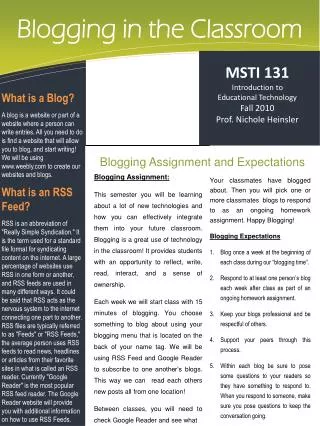
What is a blog? • Slang word for web log • Way to communicate • Personal online journal/diary • Discussions for class event • Reviews for tests
Why use a blog? • Reluctant students are able to be involved in classroom discussions • Students can share their • expertise in an area • Highly motivating • Collaboration • Paperless way to journal
Is it safe? • YES! • You can monitor your blog • Posts aren’t published until you approve them • You can keep your whole/parts of your blog private
Blogging Platforms • Blogcheese • Blogger • Blogsome • Blogster • Edublogs • Live Journal • Wordpress • Vox
My blogging experience • www.mspetley.edublogs.com
Blogging using the samr model • Start simple! • http://gettingsmart.com/2013/07/the-samr-ladder-through-the-lens-of-21st-century-skills/ • Blogging rubric for yourself • http://www.scribd.com/doc/114256742/Educational-Blogging-Rubric
Example ideas • http://mscassidysclass.edublogs.org/ • http://5s2012.edublogs.org/ • http://www.scribd.com/doc/101807658/20-student-blog-post-ideas
Some Blogging Terminology • Dashboard – manage your blog site • Manage– posts, pages, uploads, import and export • Comments– monitor comments made at site • Write – create and edit posts or pages • Posts – Your added content • Widgets – add other blog info, calendars, search, blog stats, and more to your site • Blogroll – add links for other blogs feeds that you read • Presentation – customize the look and feel of your blog • Users – add administrators, contributors, authors, editors to your blog • Options – control blog name, reading writing privileges, privacy, discussions, inappropriate words, delete blog.
If in doubt…google it • Most blogging questions can be answered online • Or I can help you!
Let’s get started • Go to www.edublogs.com or your own choice of blogging platform to use • Set up your account and then give your blog a name…. English 101, …..etc…