Download
1 / 8
80 likes | 220 Vues
This presentation, led by Jeffrey Snover and Jason Helmick, offers an in-depth overview of PowerShell tools essential for developers. Key topics include implementing the `ShouldProcess` parameter and understanding impact levels (Low, Medium, High) for commands that alter system states. Learn to streamline function writing without manual parameter coding and discover how default setting adjustments for `$WhatIfPreference` and `$ConfirmPreference` affect command execution. By utilizing Confirm and WhatIf parameters, developers can confidently manage system changes and avoid unintended consequences.

E N D
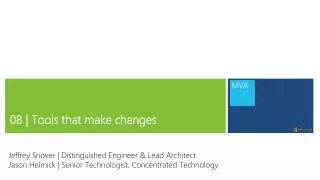
08 | Tools that make changes Jeffrey Snover | Distinguished Engineer & Lead Architect Jason Helmick | Senior Technologist, Concentrated Technology
Module Overview • Tools that need –confirm and –whatif • Impact Level • Using ShouldProcess • A better example
-Confirm and -Whatif • These parameters should be supported for any commands that changes the system state in any way. • If you’re writing an advanced function, there’s no need to hand code these parameters. • [CmdletBinding(SupportShouldProcess=$True,ConfirmImpact=“High”)] • Ctrl-J for the template
Impact Level • Values for Impact Level are Low, Medium and High • $WhatIfPreference is set to $False by default. If you change is to $True, then all commands that support –Whatif will run as if whatif has been specified. • $ConfirmPreference is set to High by default. If the command impact level is equal to or higher than the preference, then –Confirm is automatically added