Productivity: reading
Explore a diverse collection of productivity apps designed to enhance reading, writing, and multimedia experiences. From iBooks and Story Chimes to voice recognition tools like Siri and Dragon Dictation, these apps cater to all ages and learning styles. Utilize collaborative writing platforms such as Syncpad and DoodleBuddy, and engage students with virtual field trips and mapping tools. Whether tracing letters, creating comics, or practicing math, these tools provide interactive learning opportunities and promote creativity and collaboration.

Productivity: reading
E N D
Presentation Transcript
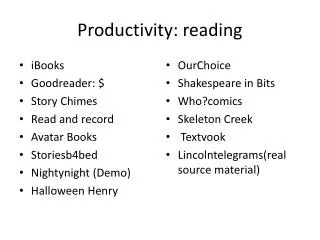
Productivity: reading • iBooks • Goodreader: $ • Story Chimes • Read and record • Avatar Books • Storiesb4bed • Nightynight (Demo) • Halloween Henry • OurChoice • Shakespeare in Bits • Who?comics • Skeleton Creek • Textvook • Lincolntelegrams(real source material)
Reading online • Read • scanning and skimming • Using summary tools • http://www.tools4noobs.com/summarize/
Writing • Letter tracing • White boards, Drawing Pad, Show Me • Office2hd $, yellow pad • Storykit, Audiomemo • Syncpad (collaborative writing) • DoodleBuddy, Whiteboard, Scribblepress • Educreations • Integrate writing with Wikis (create an app icon for web page) • http://storykeepers.wikispaces.com/iPad+StoryTelling+APPS
Voice Recognition • Siri built into the iPad 3’s • Paperportnotes: built in voice support to a writing pad • Dragon Dictation
Multimedia • Storykit • Splice • Explain Everything • Hokusai • Audiomemo
Virtual Field Trips • Many are web based: • http://www.theteachersguide.com/virtualtours.html • http://www.livebinders.com/play/play_or_edit?id=229243 • http://blog.simplek12.com/education/vft/ • GoogleEarth app • Mapping Apps • Whitehouse Tour App • Museums • Salt Marsh/ Pond Life • Student created Fieldtrips using web photos and multimedia apps. http://www.d.umn.edu/~hrallis/courses/5413su04/assignments/virtual_field_trip.html
Class Engagers • iChoose • Dice • Timeliners • Too Noisy
Go to Tomahawkipadcrew • Retrieve document entitled App checklist from the iPad training. • Transfer to an annotator • Type on Pdf • Rename • Complete on app finds and email back to me.
App Task Checklist • What learning tasks are you trying to support? • Does this app work? • Does this app create an end product, how can that product be shared? • If it is a lite version: does it play long enough to be useful? • Are inApp purchases needed to make it go?
Practice round • These are some nice whiteboard apps K-3 Compare Doodlebuddy/ Whiteboard lite 3-5 Compare Showme, educreations 6-up Compare Showme, Syncpad(Marcia has) or zigzag board Music/art: Daydream doodler
Practice 2: Comics K-3 Myscene turbocollage 3-5 • Toontastic • Big Nate Older grades • zoodlecomics • Garfield internet safety • Middleschool Confidential
Writing • K-3 Trace, letterwriter, abc tracer, kids can spell, sleighwrite, find a word game you like as well, Storypatch, iAuthor, ABCfirst words • 3-5: Write and say, paperportnotes, enchanted dictionary • 6-up Middle school writing, idea sketch, infinote, a novel idea, rapid note • Art/Music: Facekitfree, kids musicmakerlite
Recorders • K-3: kids voice recorder, screenchomp • 4 and above: Hokusai • Music: joytunes recorder master
Itunes: search Math • K-3: Sam Phibian, my first clock,makechange, math snacks, days left, • 3-5: fraction factory, Math board, pizza fractions • 6 and up: iformulas, decimals!!!, algebra!!! Video lessons through youtube,
Itunes: search Math • K-3 • 3-5 • 6-up
Content Specific • Math Drill and Practice • Money and Fraction interactive apps • Word Games • Vote tracking • Interactive war map • timeliners • Calorie tracker/ step counter
Utility • Weather Channel (radar, cloud forcast) • Pick me Buzzer • Dice series (words,pictures, pictures and words • Calculators • iChoose • Timers • Stoplight
Measuring • Tape Measure • Flashlights • sightLevel • QR code • Magnifier
QR codes • Making codes or reading • QR apps that create • QR Apps that read • Short and sweet • Typical info shared through QR codes: • Messages • Websites • Map info • Contact info
Online QR Makers • BeeTag: www.beetagg.com • BeQRious http://beqrious.com/generator • Delivr http://delivr.com/qr-code-generator • KAYWA http://qrcode.kaywa.com • Maestro www.sparqcode.com/static/maestro • Mobile-Barcodes www.mobile-barcodes.com • QR Stuff www.qrstuff.com
Creating codes • Minimum 1 “ square • Mount on flat surfaces • Leave some white around the edges • Try it out before you have others read it
QR Activities • Interactive displays • Book Promo • Meet the Author or Artist • Weblink • Link paper projects to online info • Check answers or spare data • Useful support links • Community historical or school tours • Create Scavenger hunts • Connect families to student projects