
SlideServe
Menu
Préférences
© SlideServe · v2026

Solving Business Problems with SharePoint and InfoPath 2010 - Clayton Cobb Presentation

marli avatar
28 diapositives · 424 Views · Jul 12, 2014

Join Clayton Cobb on April 29, 2011, for an insightful session on solving business problems using SharePoint and InfoPath 2010. Learn about the features and benefits of InfoPath 2010, how to streamline processes, and best practices for creating effective form templates. This event is brought to you by LeaderQuest and Planet Technologies, and is part of the Colorado Chapter of Women in SharePoint. Engage with fellow attendees, gain valuable knowledge, and discover training opportunities in SharePoint and InfoPath to enhance your workflow and productivity.
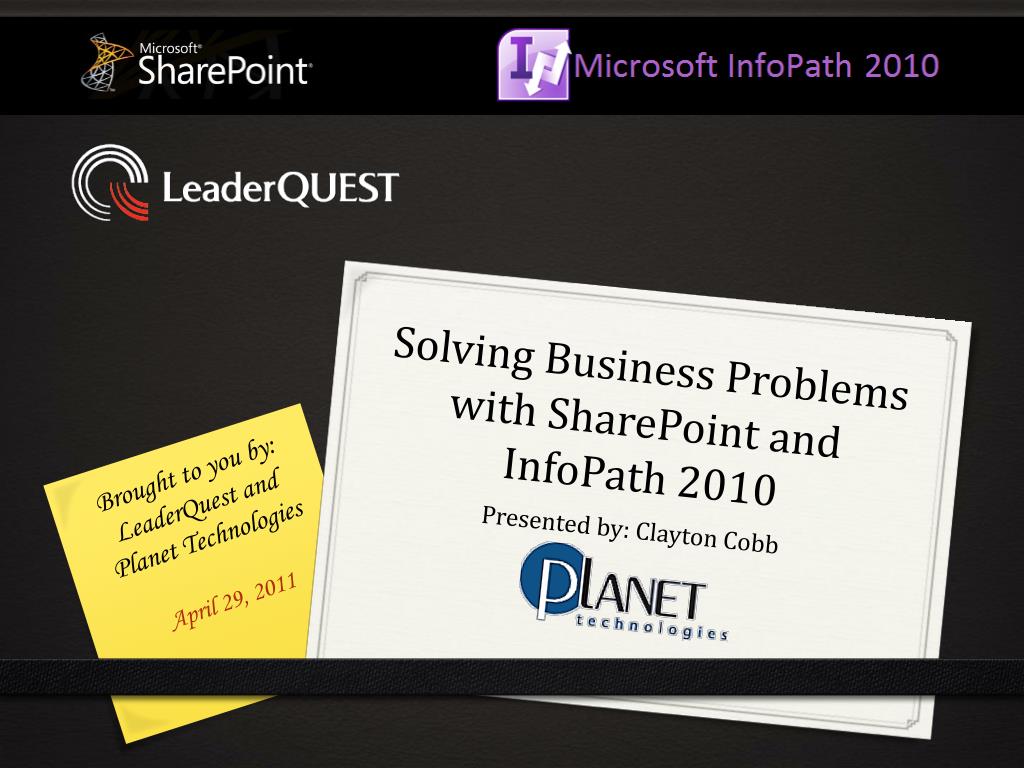
Solving Business Problems with SharePoint and InfoPath 2010 - Clayton Cobb Presentation - slide 1
01 / 28Solving Business Problems with SharePoint and InfoPath 2010 - Clayton Cobb Presentation
1 / 17

Télécharger la présentation

Solving Business Problems with SharePoint and InfoPath 2010 - Clayton Cobb Presentation
Une image / un lien ci-dessous est fourni (tel quel) pour télécharger la présentation

Politique de téléchargement : le contenu du site vous est fourni TEL QUEL pour votre information et votre usage personnel ; il ne peut être vendu, concédé sous licence ni partagé sur d’autres sites sans l’accord de son auteur.Le contenu vous est fourni TEL QUEL, pour votre information et votre usage personnel uniquement. Téléchargez la présentation en cliquant sur ce lien. Lors du téléchargement, si vous ne parvenez pas à télécharger une présentation, l’éditeur a peut-être supprimé le fichier de son serveur.Pendant le téléchargement, si vous ne parvenez pas à obtenir une présentation, le fichier a peut-être été supprimé par l’éditeur.

F I N

Plus de contenu associé

Transcription de la présentation
  1. Solving Business Problems with SharePoint and InfoPath 2010 Brought to you by: LeaderQuest and Planet Technologies April 29, 2011 Presented by: Clayton Cobb

  2. Announcements • Colorado Chapter of Women in SharePoint Kick-off Event • Friday June 03, 2011, 3:00 - 5:00PM • Pappadeaux • 7520 E Progress Pl • Greenwood Village, CO 80111 US • Contact: Jen Dodd – jdodd@go-planet.com • Linked in Group and Event • Facebook Page • womeninsharepoint.org

  3. Upcoming Training • 10174 - Configuring and Administering Microsoft SharePoint 2010 • Dates: 6/6-6/10 • Instructor: Jen Dodd • 10231 - Designing a Microsoft SharePoint 2010 Infrastructure • Dates: 6/20-6/24 • Instructor: Shannon Bray

  4. Introduction • Presenter: Clayton Cobb • SharePoint MVP (former InfoPath MVP) • Director, Central Region - Planet Technologies • COSPUG Co-Founder • SharePoint Saturday Denver Chairman • Blog: claytoncobb.wordpress.com • Contact: ccobb@go-planet.com

  5. What about you? • Audience – Who is here? • End User, IT Pro, Information Worker, Developer, Decision maker? • Environment – What are you using? • SharePoint Version? • InfoPath Version? • Experience Level • Beginner, Intermediate, Advanced?

  6. Small Groups Your Name Your Company Your Job Function What are you using SharePoint/InfoPath for or what do you HOPE to be using SharePoint/InfoPath for?

  7. Schedule 9:30 – 10:30 Sit 10:30 – 11:30 Crawl 11:30 – 12:30 Lunch 12:30 – 2:00 Sleep Walk 2:00 – 8:00 Questions =D

  8. Sit She did it!

  9. What is InfoPath? InfoPath 2010: The New Hotness • Microsoft InfoPath 2010 is a forms-creation and data-gathering tool that helps organizations streamline business processes • InfoPath 2010: Features and Benefits • InfoPath 2010: Top 10 reasons to try it

  10. InfoPath 2010 Introduction • Microsoft Office 2010 Suites • Professional Plus (Enterprise, Ultimate) • SharePoint 2010 Versions • Foundation, Server Standard, Server Enterprise • InfoPath Designer vs. InfoPath Filler • Creating a new form template • Template Types • Template Parts • Filler (Client) Form vs. Browser Form

  11. InfoPath Basics Layout Fields Controls Data Connections Rules Views

  12. InfoPath 2010 Enhancements • Ribbon • Quick Access Toolbar • Quick Publish • Rules Manager • Copy Rules • Improved browser support - No ActiveX • Contact Selector and Date Picker • Many features that now work in browser forms • External Item Picker (external lists)

  13. Creating New Templates • Library Form • Start with a SharePoint Form Library • Start with a Form Library Template • List Form • Start with a SharePoint List • Start with a List Form Template (key for multiple entry) • Database/Web Service/XML • Convert Excel/Word Forms • Document Information Panel

  14. Other Forms • SharePoint Designer 2010 workflow forms • Out-of-the-box Workflows • Custom Workflows • Form Types • Task • Initiation • Association • External List Forms

  15. Crawl InfoPath 2010: A Quick Look

  16. Designing a Form • Layout or Schema? • Re-use layouts and/or schemas if you can • Leverage Template Parts where possible • Design elements • Data schema • Data connections • Buttons • Submit options • Promoting Properties

  17. Techniques • Universal Data Connections • Auto-Generating Filenames • User Profile Service • Form Load Rules • Parameterized Queries • Cascading Dropdowns • Filters • Workflow email hyperlinking

  18. InfoPath Form Web Part Form display Connected web parts Input/Outputparameters Trigger rules Query string input Send data to web part

  19. Questions • 11:30 – 12:30 Lunch Break • SMALL GROUP DISCUSSION QUESTIONS • What ONE thing did you learn this morning that stuck out to you? • What question(s) do you have about this morning? • What problem could potentially be resolved by what you learned? • What do you hope to learn in the afternoon session?

  20. Welcome Back

  21. Wake Up!

  22. Get Excited!

  23. Walk

  24. Performance Appraisal • Auto-population of user information • Driven by external data • Conditional data entry • Custom Save and Submit • Dynamic notifications via workflow • Restricted areas • Identity- and status-driven functionality • Electronic Signatures

  25. Conference Management Two forms in separate form libraries working in concert Workflows go across both Multi-level signatures with dynamically-driven content, data entry, and workflow notifications Data aggregation and analysis through Excel

  26. Leave Requests Leave days stored in backend DB (SQL) and exposed via External Content Type + External List Auto-population of almost all data fields on form load Auto-calculation of requested days Dynamic permissions via workflow to protect data Auto-detection and notification of Managers in Active Directory plus Pending Request Dashboard Automatic updating of backend DB upon approval Workflow visualization with Visio Services

  27. Conclusion

  28. Questions • Thank you for coming today! • For all your Corporate Training needs: • http://leaderquestonline.com • For all you SharePoint Consulting needs: • http://go-planet.com • Clayton Cobb • ccobb@go-planet.com