Download
1 / 10
100 likes | 233 Vues
This document outlines the architecture and system requirements for the CHEMS application deployed in Green Bay. It emphasizes the importance of robust internet connectivity and optimal hardware for seamless application performance. The system utilizes client/server design with specific hardware configurations and applications, ensuring fast data processing and report generation via Oracle Database. By adhering to security protocols and proper installation of CHEMSPRO.EXE, users can maximize efficiency while minimizing bandwidth consumption, thus enhancing overall system reliability.

E N D
CHEMS 2013SYSTEM ARCHITECTURE Best Western Green Bay
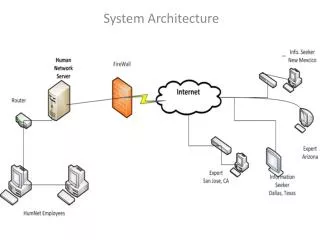
CHEMS SYSTEM ARCHITECTURE COUNTY CLIENT PC INTERNET DOT SERVER MACHINES (BITS) PROD #1 OP08 CLOUD CHEMS PROD #2 APPLICATION SERVERS ORACLE DATABASE
COUNTY PC • Relatively Current Windows PC • Typically Windows XP, 7 or 8 possibly • Installed and configured Internet Explorer (IE 10 OK) • Faster is always better, if it’s slow CHEMS will be slow • CHEMSPRO.EXE (Only thing needed) • Install the CHEMSPRO.EXE on your machine • Different install options to meet varying county security needs
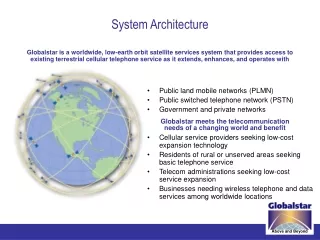
CHEMS SYSTEM ARCHITECTURE INTERNET CLOUD
INTERNET • Reliable / Decent Internet Connection Required • Faster is better here too, in terms of mb/sec • Minimum – 1.5 x 1.5 ( Shared Courthouse link ) • Better – 10 x 3 ( typical in standalone Depts ) • Best – 50+ x 50+ ( fiber in some counties, DOT side is fiber ) • Ping times matter too, average of about 30 msec or less is OK • Shared lines can saturate dropping your speed to less than a dialup • CHEMS won’t work right, even web pages appear to be failing
CHEMS SYSTEM ARCHITECTURE DOT SERVER MACHINES (BITS) PROD #1 OP08 PROD #2 APPLICATION SERVERS ORACLE DATABASE
DOT MACHINES • Application Servers • Prod #1 and Prod #2 are two identical physical application servers • Quad Core Pentium 4, 32GB ram, IBM Blade servers • Redundant - Sized so that one server can handle all of the load • Balanced – Monthly the traffic to each app server is about the same • BITS manages the hardware, I manage the CHEMS server software
DOT MACHINES • CHEMS Server Software (on each physical server) • IIS web services handles requests (SSL) coming in from your PC • Your request is directed to either a DATA or REPORT ‘app’ server • The DATA and REPORT servers communicate with the Oracle database • DATA server program requests are passed back to your PC • REPORT server program requests generate report pages on the server • Rendered reports are then passed back to your PC
DOT MACHINES • Oracle Database • 11g running in a Unix Cluster managed by a group DOT Oracle DBA’s • DOT follows a ‘by-the-book’ development practice • Developers can NOT make direct changes to PROD or TEST • SQL Code mods are allowed only in DEV, no tables or new code • I submit requests for a change to the database, tables or code • It’s reviewed, potential impacts, approved, and done by the DBA’s
SUMMARY • CHEMS is a client/server based system utilizing a ‘Fat’ (EXE) client to provide the required functionality. • Because it’s client/server the amount of bandwidth required is kept to a minimum. (keyed data and report pages) • Windows compliant, reports come off faster and data entry is similar to AREV CHEMS even though it’s Windows based.