Recording Payments to Employees from External Sources in PennWorks
This guide explains how to record payments made to employees from sources other than the University of Pennsylvania Payroll, which offsets Penn's compensation commitment. Users can add these external payments in PennWorks after completing the 'Find/Add a Person' search. The functionality for adding/updating external distributions is currently utilized only by the School of Medicine and Dental Medicine faculty, serving informational purposes. Follow the outlined steps to navigate through the process effectively.

Recording Payments to Employees from External Sources in PennWorks
E N D
Presentation Transcript
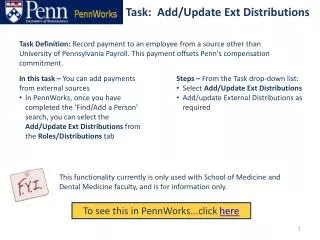
Task Definition: Record payment to an employee from a source other than University of Pennsylvania Payroll. This payment offsets Penn's compensation commitment. • In this task – You can add payments from external sources • In PennWorks, once you have completed the ‘Find/Add a Person’ search, you can select the Add/Update Ext Distributions from the Roles/Distributions tab • Steps – From the Task drop-down list: • Select Add/Update Ext Distributions • Add/update External Distributions as required Task: Add/Update Ext Distributions This functionality currently is only used with School of Medicine and Dental Medicine faculty, and is for information only. To see this in PennWorks...click here
Task: Add/Update Ext Distributions Click Add/Update Ext Distributions to advance to the next screen • From the Roles Summaries drop-down list, select Add/Update Ext Distributions
Task: Add/Update Ext Distributions Add or update External Distributions as required Click [Submit] to complete