Download
1 / 12
120 likes | 233 Vues
Discover how to easily search for books in the Campbellsville Middle School library using the Destiny catalog. Whether you're at school or home, follow these simple steps: log in to your computer, access the CMS website, navigate to the Middle School Media Center, and select Destiny. Search by keyword, title, author, subject, or series to find the book you want. Check if it's available, and locate it using the Call Number provided. Enjoy your reading journey with just a few clicks!

E N D
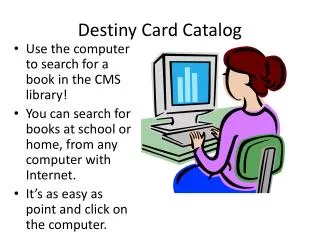
Destiny Card Catalog • Use the computer to search for a book in the CMS library! • You can search for books at school or home, from any computer with Internet. • It’s as easy as point and click on the computer.
Just follow these easy steps:Log in to the computer using yourUser Name and PasswordClick on Internet –the Campbellsville Independent schools webpage should come up.
In Destiny, you will need to select Campbellsville Middle School
This is the Search Screen-type in what you are looking for and select keyword, title, author, subject, or series
For example: In this search, I am looking for books on horses so I will type ‘horses’ in the ‘Find’ box and click on Subject
When the results come up, look at the right to see if the book is checked out or available. This example is checked out.
If I want The Ultimate Horse Book I would look at the Call No. 636.1 Edw and that would tell me where to find the book on the shelves.