Essential Guide to AVID Binder Setup and Community Service Training
130 likes | 254 Vues
This comprehensive guide outlines the necessary steps to successfully set up your AVID binder and understand community service requirements. The AVID binder is crucial for academic success across all subjects, serving as a central tool for organizing materials. Students must fill out a volunteer form for community service training, with a session scheduled for August 20, 2011, from 8 am to 5 pm. This document includes a detailed shopping list and instructions to ensure students are prepared for binder checks and classes.


Essential Guide to AVID Binder Setup and Community Service Training
E N D
Presentation Transcript
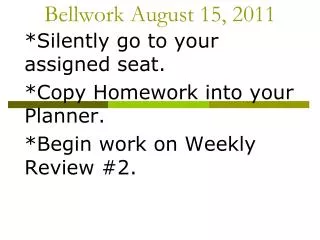
August 15 Today: Student Questionnaire Announcements Re: Community Svc. AVID Binder FAQs AVID Binder Shopping List Everything you wanted to know about the AVID Binder Homework
Community Svc. • You will need to each go on to https://www.eayso.org/and fill out a volunteer form and print off and sign 2 copies. They will need to be brought with them to the training class. The referee training classes: • *August 20, 2011 8am - 5pm • If they ask what team they are representing, it is u10g-11.
AVID Academic Binder • Overview:* the binder has a direct impact on YOUR success in ALL classes (not just AVID) * binder checks are the MAJORITY of your grade in AVID
What is needed for your binder • 3-ring: 3” binder • 5-6 colored dividers with tabs (1 divider/class) • 3-hole zipper pouch • 2 or more PENS (blue or black) • 2 or more SHARPENED pencils • Paper (notebook paper or Cornell notepaper) • Assignment calendar/Agenda • Tutorial Logs • Learning Logs/Notes • Highlighters
Upon opening the binder…. • Zipper pouch • Assignment Book
Behind each divider for your classes (in this order) • Divider (with label of class including AVID) • Current Cornell Notes/Learning Logs • Handouts • Tests • Older notes/learning logs • Syllabi • Blank paper**newest on top, oldest towards the bottom**
3 more Dividers • Tutorials (TRFs) • Notes • Notebook Checks
Home work • If you don’t already, please have/know your computer log on information. • Signed syllabus and contract • Purchase/Gather items listed on “My AVID Shopping List”