Understanding Linear Regression with TI-83: A Step-by-Step Guide to Real-World Data Modeling
140 likes | 254 Vues
This guide walks you through the process of using linear regression with a TI-83 calculator to model real-world problems mathematically. Learn how to recognize a problem, collect data, and plot it effectively. Discover the method of curve fitting and how to enter data into your TI-83. Engage in statistical plotting and graph your data points before finding the best fit line using linear regression. Finally, utilize the model to make predictions, interpreting results to draw conclusions about trends in your data.


Understanding Linear Regression with TI-83: A Step-by-Step Guide to Real-World Data Modeling
E N D
Presentation Transcript
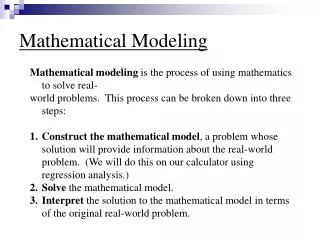
1.3 Mathematical Modeling • A real world problem described using mathematics • Recognize real-world problem • Collect data • Plot data • Construct model • Explain and predict
Linear Regression • The process of finding a function that best fits the data points is called curve fitting. • Curve fitting using linear functions is called linear regression.
Linear Regression on the TI-83 • The first step is to enter the data into the calculator. • Hit STAT and highlight 1:EDIT on the menu list. • Press ENTER
Entering data into the lists • If data is in list, move cursor to highlight list name, press CLEAR followed by ENTER • Enter the x values in L1 and the y values in L2.
Engage the Stat Plot • Press 2nd followed by Y=. • Press ENTER. • Move cursor to highlight On and press ENTER. • Move cursor to highlight scatterplot, and press ENTER. • Make sure the Xlist is L1 and the Ylist is L2.
Adjusting the Window • Standard viewing rectangle is [10,10] xscl=1 and [10,10] yscl=1 • Press WINDOW and enter new dimensions • New window [0,30] xscl=3 and [0,20] yscl=2
Graph data • To view data points, press GRAPH • Data points can be “fitted” by a straight line • Each x tick mark represents 3 years • Each y tick mark represents 2 million households
Find “Best Fit” Linear Function • Press STAT and highlight CALC • Highlight 4:LinReg • Press ENTER
Find Slope and Y Int of Line • Press ENTER a second time • Recall y=mx+bwhere m=slope and b=yint • Note a=slope
Entering “Best Fit” line in Grapher • Press STAT, arrow over to CALC, and highlight 4:LinReg • Press VARS, arrow over to Y-VARS and highlight 1:Function • Press ENTER
Input into Y= Automatically • Highlight 1:Y1 and press ENTER • Press ENTER again
Graph Best Fit Line • Press GRAPH
Use Model to Predict • Use table feature to find prediction • Press 2nd then WINDOW (TBLSET) • Arrow down to change Independent to ASK
Use Table to Find Prediction • Press 2ndGRAPH (TABLE) • Enter 33 since 2003 is 33 years after 1970 • Press ENTER • Interpret answer • Approx. 16.644 million apt households in 2003.