Networking Essentials: Hubs & Switches
Explore the functionalities of hubs and switches in networking. Learn about data link layer concepts, Ethernet technologies, error detection, and the role of switches in network traffic management.

Networking Essentials: Hubs & Switches
E N D
Presentation Transcript
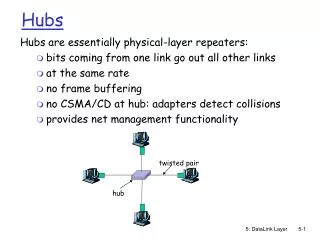
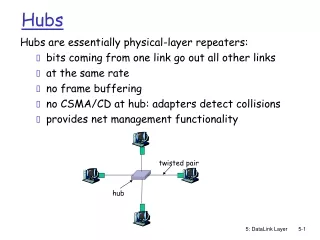
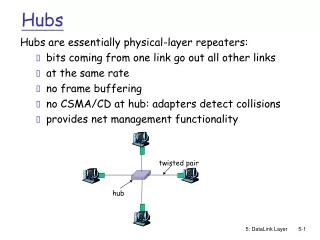
twisted pair hub Hubs Hubs are essentially physical-layer repeaters: • bits coming from one link go out all other links • at the same rate • no frame buffering • no CSMA/CD at hub: adapters detect collisions • provides net management functionality 5: DataLink Layer
Gbit Ethernet • uses standard Ethernet frame format • Backward compatible with 10BaseT and 100BaseT technologies • allows for point-to-point links and shared broadcast channels • in shared mode, CSMA/CD is used; short distances between nodes required for efficiency • uses hubs, called here “Buffered Distributors” • Full-Duplex at 1 Gbps for point-to-point links • 10 Gbps now ! 5: DataLink Layer
5.1 Introduction and services 5.2 Error detection and correction 5.3Multiple access protocols 5.4 Link-Layer Addressing 5.5 Ethernet 5.6 Interconnections: Hubs and switches 5.7 PPP 5.8 Link Virtualization: ATM Link Layer 5: DataLink Layer
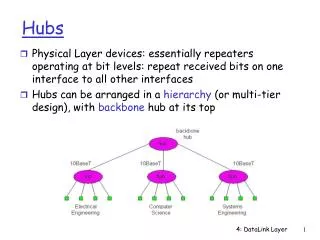
Interconnecting with hubs • Backbone hub interconnects LAN segments • Extends max distance between nodes • But individual segment collision domains become one large collision domain • Can’t interconnect 10BaseT & 100BaseT hub hub hub hub 5: DataLink Layer
Switch • Link layer device • stores and forwards Ethernet frames • examines frame header and selectively forwards frame based on MAC dest address • when frame is to be forwarded on segment, uses CSMA/CD to access segment • transparent • hosts are unaware of presence of switches • plug-and-play, self-learning • switches do not need to be configured 5: DataLink Layer
switch hub hub hub Forwarding 1 3 2 • How to determine onto which LAN segment to forward frame? • Looks like a routing problem... 5: DataLink Layer
Self learning • A switch has a switch table • entry in switch table: • (MAC Address, Interface, Time Stamp) • stale entries in table dropped (TTL can be 60 min) • switchlearns which hosts can be reached through which interfaces • when frame received, switch “learns” location of sender: incoming LAN segment • records sender/location pair in switch table 5: DataLink Layer
Filtering/Forwarding When switch receives a frame: index switch table using MAC dest address if entry found for destinationthen{ if dest on segment from which frame arrivedthen drop the frame else forward the frame on interface indicated } else flood forward on all but the interface on which the frame arrived 5: DataLink Layer
Switch example Suppose C sends frame to D address interface switch 1 1 1 2 3 A B E G 3 2 hub hub hub A I F D G B C H E • Switch receives frame from from C • notes in table that C is on interface 1 • because D is not in table, switch forwards frame into interfaces 2 and 3 • frame received by D 5: DataLink Layer
Switch example Suppose D replies back with frame to C. address interface switch 1 1 2 3 1 A B E G C hub hub hub A I F D G B C H E • Switch receives frame from from D • notes in bridge table that D is on interface 2 • because C is in table, switch forwards frame only to interface 1 • frame received by C 5: DataLink Layer
switch hub hub hub Switch: traffic isolation • switch installation breaks subnet into LAN segments • switch filters packets: • same-LAN-segment frames not usually forwarded onto other LAN segments • segments become separate collision domains collision domain collision domain collision domain 5: DataLink Layer
Switches: dedicated access A • Switch with many interfaces • Hosts have direct connection to switch • No collisions; full duplex Switching: A-to-A’ and B-to-B’ simultaneously, no collisions C’ B switch C B’ A’ 5: DataLink Layer
More on Switches • cut-through switching: frame forwarded from input to output port without first collecting entire frame • slight reduction in latency • combinations of shared/dedicated, 10/100/1000 Mbps interfaces 5: DataLink Layer
Institutional network mail server to external network web server router switch IP subnet hub hub hub 5: DataLink Layer
Switches vs. Routers • both store-and-forward devices • routers: network layer devices (examine network layer headers) • switches are link layer devices • routers maintain routing tables, implement routing algorithms • switches maintain switch tables, implement filtering, learning algorithms 5: DataLink Layer
Summary comparison 5: DataLink Layer
5.1 Introduction and services 5.2 Error detection and correction 5.3Multiple access protocols 5.4 Link-Layer Addressing 5.5 Ethernet 5.6 Hubs and switches 5.7 PPP 5.8 Link Virtualization: ATM Link Layer 5: DataLink Layer
Point to Point Data Link Control • one sender, one receiver, one link: easier than broadcast link: • no Media Access Control • no need for explicit MAC addressing • e.g., dialup link, ISDN line • popular point-to-point DLC protocols: • PPP (point-to-point protocol) • HDLC: High-level data link control 5: DataLink Layer
PPP Design Requirements [RFC 1557] • packet framing: encapsulation of network-layer datagram in data link frame • carry network layer data of any network layer protocol (not just IP) at same time • ability to demultiplex upwards • bit transparency: must carry any bit pattern in the data field • error detection (no correction) • connection liveness: detect, signal link failure to network layer • network layer address negotiation: endpoint can learn/configure each other’s network address 5: DataLink Layer
PPP non-requirements • no error correction/recovery • no flow control • out of order delivery OK • no need to support multipoint links (e.g., polling) Error recovery, flow control, data re-ordering all relegated to higher layers! 5: DataLink Layer
PPP Data Frame • Flag: delimiter (framing) • Address: does nothing (only one option) • Control: does nothing; in the future possible multiple control fields • Protocol: upper layer protocol to which frame delivered (eg, PPP-LCP, IP, IPCP, etc) 5: DataLink Layer
PPP Data Frame • info: upper layer data being carried • check: cyclic redundancy check for error detection 5: DataLink Layer
Byte Stuffing • “data transparency” requirement: data field must be allowed to include flag pattern <01111110> • Q: is received <01111110> data or flag? • Sender: adds (“stuffs”) extra < 01111110> byte after each < 01111110> data byte • Receiver: • two 01111110 bytes in a row: discard first byte, continue data reception • single 01111110: flag byte 5: DataLink Layer
Byte Stuffing flag byte pattern in data to send flag byte pattern plus stuffed byte in transmitted data 5: DataLink Layer
PPP Data Control Protocol Before exchanging network-layer data, data link peers must • configure PPP link (max. frame length, authentication) • learn/configure network layer information • for IP: carry IP Control Protocol (IPCP) msgs (protocol field: 8021) to configure/learn IP address 5: DataLink Layer