An Overview of STL in EECE 351: Lecture 23 on Vectors and Strings
110 likes | 238 Vues
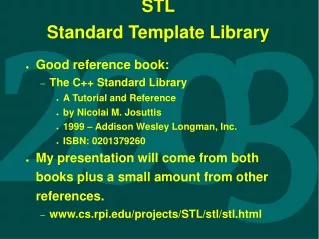
In Lecture 23 of EECE 351, we explore the Standard Template Library (STL), focusing on its powerful features and usage. STL provides a collection of header files and implementations, offering versatile data structures such as vectors, strings, and algorithms for searching and sorting. Key topics include how STL allows for dynamic storage with vectors and enhanced functionalities with strings. This lecture emphasizes practical lab work, discussing the palindrome recognizer and inviting students to refine their programming skills. Join us as we deepen our understanding of STL principles!


An Overview of STL in EECE 351: Lecture 23 on Vectors and Strings
E N D
Presentation Transcript
Standard Template Library (STL) EECE 351 Spring 2000 Lecture # 23 EECE 351 – Lecture 23
Overview • What STL is • How to use it • 2 things that would be good to know: • vector • string • Lab • Vector palindrome recognizer • What we know • Where we are going EECE 351 – Lecture 23
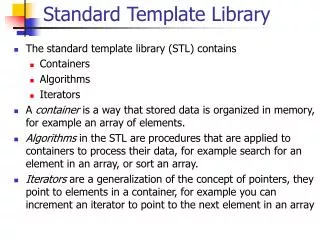
STLWhat it is • STL is a list of header files (and a library [*.lib] of their implementation). • A wonderful thing! • Because STL uses templates, their items can be anything (ints, floats, chars, etc.). • Aside from data structures: • Linked lists, stacks, queues, etc. (containers) • They also provide algorithms: • Search, sort, etc. EECE 351 – Lecture 23
STL What it is (cont.) • Another great thing they give us is the string class. • More powerful than char*. • We also have something called namespaces. • This allows us to declare two items with the same name in the same program. (See handout.) • To use STL, we need to use different header files. • And say we are using a namespace. EECE 351 – Lecture 23
STL How to use it • For example: • #include <iostream.h> • Becomes: • #include <iostream> • using namespace std; • Mixing these two causes problems, as we will see. • Then we declare objects (or pointers) to use. EECE 351 – Lecture 23
STL – 2 Great thingsVector • Storage class • Dynamically grows/shrinks • Has its own member functions: • size – returns the number of elements. • push_back – places given item into array. • pop_back – removes last element. • Each element is accessed like an array. • Review handout. EECE 351 – Lecture 23
STL – 2 Great thingsString • Similar to char* • Much, much, more powerful • Has a lot more functionality: • Operators • += (add 2 strings together), [] (array indexing), etc. • Functions • Length (return # of items in string) • c_str (converts string to char*) • Many more (review handout.) EECE 351 – Lecture 23
Lab • Some of your classmates convinced me to not assign another homework. • Gives you time to: • Resub the ones you have already done. • Work on the project! • Use this time wisely!!! • You should examine the code and attempt the following activities. • First, change <fstream> to <fstream.h>. • Note errors: EECE 351 – Lecture 23
Labcont. • Comment #pragma line. • Comment using namespace std; line. • Make n2 = vStrings.size() [take out the "-1"]. What semantic error is produced? Why? • Alter the input file. Can you find a setup that doesn’t work? • Moving EOF doesn’t count! EECE 351 – Lecture 23
What we know • STL • Lab – Vector palindrome recognizer EECE 351 – Lecture 23
Where we are going • Software Engineering: • No Silver Bullets • Your chance to evaluate me!! • Uh-oh!!!! • Quiz & Project questions • Final Review • The Exam • Summer!!! EECE 351 – Lecture 23