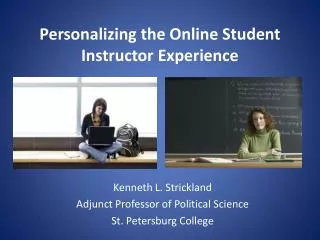
Personalizing the Online Student Instructor Experience
130 likes | 255 Vues
As online enrollment surges, dropout rates in online courses remain a major concern, with rates 10-20% higher than traditional classes. To bridge this gap, establishing thorough expectations and effective communication is key. By incorporating personalized videos into course material, instructors can develop emotional connections with students, enhance engagement, and provide clearer instructional guidance. This article explores practical applications of video, including course introductions, periodic updates, and guest lectures, to foster accountability and support diverse learning styles.


Personalizing the Online Student Instructor Experience
E N D
Presentation Transcript
Personalizing the Online Student Instructor Experience Kenneth L. Strickland Adjunct Professor of Political Science St. Petersburg College
Online enrollment growth has outpaced general higher ed enrollment growth 10-to-1 • 31% of U.S. higher education students now take at least one course online • Online classes, however, generally see dropout rates 10 to 20% higher than traditional face-to-face sections • Student level factors certainly account for a portion of this gap, but certainly not all of it • As more curriculum moves online, the effects of this dropout gap will only become more salient with time Challenge: The E-Learning Dropout Gap
Research shows that the keys to driving online student engagement are: • Establishing thorough expectations • Utilizing clear and consistent communication • Utilizing assessment that is directed and encouraging The Answer: Increasing Interaction & Engagement • Electronic communication presents legitimate barriers to achieving these instructional goals • Recommend a fourth: Efficacy – a student’s sense that their course participation matters
Incorporating personalized video into regular course material has the potential to drive engagement by: • Developing an emotion based, cognitive linkage between student and instructor to drive accountability • Permitting visual/audio cues to aid in student communication • Easing the transition between face-to-face and online instruction • Permitting passage of instructor subject knowledge and expertise beyond basic course material Incorporating Video to Close the Gap
Utilizing a course introduction video allows you to provide perspective on your teaching style and expectations • In this video I try to set the tone for the semester – easy going but passionate about the subject matter Application 1: Setting the Mood http://www.youtube.com/watch?v=NwXqfyLk2lI
Students appreciate the first few minutes of a face-to-face course where the instructor summarizes where things are at • Use a periodic update video to ensure students aren’t falling behind and expectations are clear Application 2: Touching Base http://www.youtube.com/watch?v=9oY5dlX6YVs
Some course material may be difficult to simply read and comprehend, particularly for specific learning styles • Filming lectures allows students the feel of being in the classroom, but on their own schedule Application 3: Lecture http://www.youtube.com/watch?v=czDFKu_LZrQ
The advantage of an online class is the ability to bring the classroom to the learning experience, instead of just the other way around • I utilize guest speakers to engage students in the practical side of the subject without dealing with scheduling issues Application 4: Speakers/Presentations http://www.youtube.com/watch?v=3K_WgbTLjgs
Choose a location • Minimize distortion and background noise, as well as possibility of being interrupted • Ensure proper tools/resources are easily accessible • Be cognizant of background items or personal information that may appear in the background • Record and upload video to a hosting source • Youtube permits quick and easy upload of video files • Limits standard videos to 15-minutes; can request approval for extended uploading • Other sites, such as Schooltube.com offer similar services • Select appropriate privacy settings Steps for Implementation
Steps for Implementation • Post the link to ANGEL • Add Content -> Link • Requires special HTML coding to be entered into “Title” box • <a href=“VIDEO URL" target="_blank">VIDEO TITLE</a>
Student Survey Responses: Spring 2012 • What are the strengths of this course?
Tips and Practical Advice • Assume that all videos you post are available are entirely public and that anyone can see them • Use the “CNN test” when recording yourself (would this look/sound good if CNN reported on it?) • Use caution when sharing personal information – yours or your students’ • Be aware that your video may be preceded by, share a page with ads for products you might not endorse • Review your video before posting it online • Ensure that nothing incriminating or inappropriate appears in your video • Be concise when possible, and try to break videos apart when covering multiple topics in length