While and For Loop (side-by-side)
Dive deep into Java's core control structures including while loops, for loops, do-while loops, and conditional statements such as if and switch. This guide covers how to implement these loops for repetitive tasks and conditions for branching logic in your programs. Additionally, it explores data types, character reading, and printing. Perfect for beginners, it offers practical examples to clearly illustrate how to utilize these features efficiently. Enhance your programming skills and learn how to create dynamic applications with Java.

While and For Loop (side-by-side)
E N D
Presentation Transcript
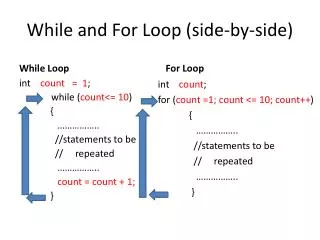
While and For Loop (side-by-side) While Loop For Loop intcount; for (count =1; count <= 10; count++) { …………….. //statements to be // repeated …………….. } intcount = 1; while (count<= 10) { …………….. //statements to be // repeated …………….. count = count + 1; }
Do…While Loop int counter = 1; do { // statements to be repeated counter = counter + 1; } while ( counter <= 10);
break… statement for ( x = 1; x <= 10; x++ ) { //statements repeated if ( x == 5 ) { break; //terminate loop } //statements skipped }
continue …statement for ( x = 1; x <= 10; x++ ) { /* if x is 5, continue with next iteration of loop */ //statements repeated if ( x == 5 ) { continue; /* skip remaining code */ } //statements repeated except when x== 5 }
Review of IF with == condition intgasCode; scanf(“%d”, &gasCode); if (gasCode== 1) { ………………….. } if (gasCode == 2) { ………………….. } if (gasCode== 3) { ………………….. } if (gasCode==4) { ………………….. }
Switch statement intgasCode; scanf(“%d”, &gasCode); Switch (gasCode) { case 1: …….. break; case 2: …….. break; case 3: …….. break; case 4: ……. break; } intgasCode; scanf(“%d”, &gasCode); if (gasCode== 1) { ………………….. } if (gasCode == 2) { ………………….. } if (gasCode== 3) { ………………….. } if (gasCode== 4) { ………………….. }
Character Data type Data typeConstantsExample int x; 10 x = 10; float z; 3.14 z = 3.14; char m; ‘K’ m = ‘K’;
Reading and printing character char m; scanf(“%c”, &m); // when reading, ‘ ‘ are not entered OR m = getchar(); //reads everything including white space printf(“%c”, m);