Enhancing Learning Content Management with AIM-IETM Integration for Technical Training
161 likes | 290 Vues
The AIM-IETM interface addresses the challenge of maintaining updated learning content linked to authoritative technical data. As the Navy transitions to online data repositories, this integration supports web-based training by ensuring content is accurate and current. AIM streamlines quality assurance, simplifies instructor preparation, and promotes efficient lifecycle management. By associating technical documents with training materials, it enhances both classroom delivery and self-paced learning. The system reduces workload for instructors and supports comprehensive surveillance to keep training material aligned with the latest procedural updates.


Enhancing Learning Content Management with AIM-IETM Integration for Technical Training
E N D
Presentation Transcript
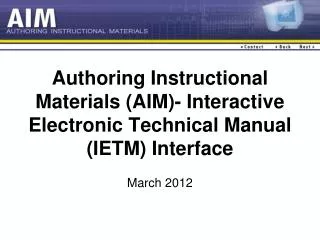
AIM-IETM Interface 15 March 2012
The Problem • No cost-effective method for responsively keeping learning content current with changes to authoritative technical data • AIM solved for paper and CD-based tech data in 2000 • Navy shifting to on-line enterprise data repositories with no enterprise solution to this problem • Even more important for distributed Web-based training as instructor surveillance efforts are removed • Must address emerging S1000D standard adopted by DoD / Navy
Functional Requirement • Support design and development of learning content tied to performance requirements • Streamline QA review, approval, and configuration management • Simplify instructor preparation and delivery • Promote efficient life-cycle surveillance and update • Enhance cost-effective re-purposing of proven content
Design and Development • Technical and procedural documents are primary authoritative data source for technical training content • For ILT, developer must associate technical / procedural documents to learning content for display in classroom • For self-paced training, developer must include pertinent data and associate tech / procedural document to learning content for computer display and student interaction
QA Review, Approval, and CM • QA must confirm associations made with and data copied from technical / procedural documents accurate and current • Approval authority must ensure complete and accurate learning content in place • Content manager must ensure approved content is prepared by instructors and taught in classrooms / delivered by LMS
Instructor Preparation / Delivery • As part of preparation, instructor must confirm hundreds of links to technical / procedural documents and prepare to present documents in classroom • During presentation, instructor must quickly display authoritative documents to students • For self-paced content, students must launch technical / procedural documents for reference and interaction
Life-cycle Surveillance / Update • Curriculum maintainer must re-confirm accuracy of all links in baseline learning content to technical / procedural documents each time document is updated • Based on that analysis, maintainer must generate change / rev to learning content to ensure it remains current and accurate
Benefits • Integrated, standardized, configuration-managed development, QA, and management of baseline curricula and electronic classroom content • Reduced workload, better accuracy, and faster turnaround for schoolhouse LSO and instructor staff • Reduced workload, better accuracy, and faster turnaround of training content surveillance and update
A Few Metrics . . . • A single 23-week replacement course on-line today contains more than 1500 separate links to more than 5 separate technical / procedural manuals • All tech / procedural manuals updated quarterly • @ 2 minutes per link, review for possible changes during curriculum maintenance would take 50 person-hrs per quarter
Interface Process • EXTRACTstructural data (“table of contents”) from IETM database • IMPORT structural data into AIM • BROWSEIETM Structure via Resource Requirements List (Site RRL). Launch IETM viewer/browser to verify applicability of reference • LINK specific Related Instructor Activity (RIA) or Trainee Guide (TG) Sheet to IETM reference • CONDUCT SURVEILLANCE of curricula by importing revised IETM structural data and using detailed Change Impact Report/auto-generated maintenance flags signaling affected curriculum elements
IETM Authoring • Unique Element ID: Alphanumeric value used by IETM to assign distinct identifier for specific element • Element Title: English language descriptive name for each individual node in IETM • Persistent Element ID: Unique element ID maintained over multiple versions of IETM • Version Information at Element Level: Alphanumeric value used by individual IETM element to identify change level for that particular element (when element was added or modified)