ePledge Process
This guide outlines the ePledge Process for the Combined Federal Campaign (CFC), specifically tailored for active duty Army, Navy, and Air Force personnel. Donors can easily research charities through the myPay system, select contribution amounts, and review their pledges. Employers can assist with verification, and donors can manage their charity selections effectively. The interface supports multiple search options, including the ability to filter by charity type and overhead rates. Ensure your donations are accurately credited by entering the required agency details.

ePledge Process
E N D
Presentation Transcript
ePledge Process Before logging in to the myPay system: Research the Charities. www.cfcgreaternc.org printed Charity List The myPay system will time-out after 30 minutes
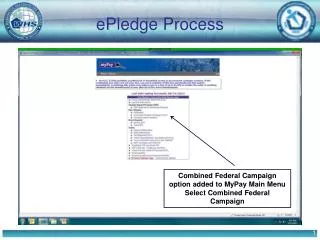
ePledge Process Combined Federal Campaign option added to MyPay Main Menu
ePledge Process 2014 Donor selects “Add New Contribution” New 2015
ePledge Process 0655 0655 Greater North Carolina Area CFC The screen will ONLY be shown to active duty Army, Navy, and Air Force Personnel . All other donors’ campaign information will be automatically populated
ePledge Process Donor selects donation amount per pay period
ePledge Process Donors can search for charities in multiple ways. The donor can specify the 5-digit Charity Code.
ePledge Process The donor can search for a specific charity by name.
ePledge Process The donor can search for a charity by service type
ePledge Process The donor can limit the search to Local, National and/or International Charities The donor can also search for charities using Administrative Overhead rate and/or by Keyword
ePledge Process The donor can select charities or return to search for additional charities
ePledge Process The donor enters the per pay period donation amount
ePledge Process Balance remaining is automatically calculated Donor has the option to continue or add / delete charities
ePledge Process Pledge summary is displayed; undesignated funds are automatically calculated and displayed
ePledge Process Donor must enter either a work email or work phone # Command/Unit Name = Agency/City/Service IE: VA Durham/Nursing Donors can request Club Recognition tokens Donors can choose to release info to Charities
ePledge Process Final review and opportunity for donor to confirm intent
ePledge Process First Pay Period – January 2015 Donor can view/print PDF pledge form for recordkeeping.
ePledge Process Donor receipt copy. Max of five charities are listed on Page 1
Key Points to Remember The ‘Campaign Search’ screen will only be shown to active duty Army, Navy, and Air Force Personnel. This information is automatically provided for active duty Marines and Federal civilians. Maximum donation amount for military personnel is $833/month. Donors can designate a maximum of 30 charities (29 if there are ‘undesignated’ funds remaining). Donors must enter their Command/Unit or Federal Agency/Office name code for pledges to be properly credited. There is no paperwork associated with this pledge type. The donor can print a receipt for his/her records.
DFAS Customers • DoD • MilPay • Civ Pay • NIEHS • Veterans Administration