How To Make A PowerPoint Quiz
50 likes | 192 Vues
Learn how to create an engaging interactive quiz using PowerPoint. Start by opening the PowerPoint Multiple Choice Quiz template located in the PowerPoint folder on your I: drive. Save it to your local hard drive under My Documents. Edit the questions to suit your topic, ensuring to include both incorrect and correct answers. Once you've customized your quiz, save the file with a new name to preserve the template for future use. Follow these simple steps to craft quizzes for educational or entertainment purposes!


How To Make A PowerPoint Quiz
E N D
Presentation Transcript
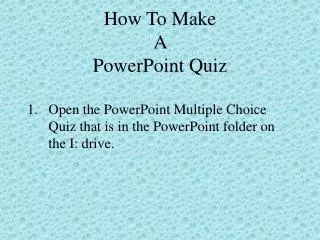
How To Make A PowerPoint Quiz • Open the PowerPoint Multiple Choice Quiz that is in the PowerPoint folder on the I: drive.
Save the file to your hard drive by going to File, Save As – Save file to My Documents. ( you may want to create a folder under My Documents to save this to Example - PowerPoint) 3. Name the file – PowerPoint Quiz Template.
Open PowerPoint Quiz Template. Edit questions for your own use. Question 1 A [your topic] is classified as: • A. [Insert incorrect answer] • C. [Insert incorrect answer] • B. [Insert incorrect answer] • D. [Insert correct answer]
5. Save this file to My Documents and rename it as the name of the Quiz.
Use the PowerPoint Quiz Template to create your next quiz. Make sure that you rename it when saving the file so that the template can be reused.