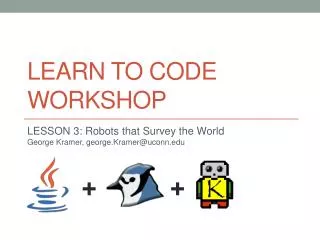
LEARN TO CODE WORKSHOP
Join George Kramer in this exciting workshop focused on introducing participants to the fundamentals of coding through the concept of robots navigating a grid-like world. Learn how robots perform tasks, sense their environment, and use a programming language, specifically Java, to express problem-solving methods. This session covers essential robot capabilities, the execution of instructions, and program structure, preparing you to create your own robotic applications. Visit the UConn ACM website for resources and additional lesson problems.

LEARN TO CODE WORKSHOP
E N D
Presentation Transcript
LEARN TO CODE WORKSHOP LESSON 1: Introduction to the Robot WorldGeorge Kramer + +
Workshop Objective • Develop problem solving skills • Use a programming language as a means of expression
The Robot World • Robots perform simple tasks in a world • Robots can sense and manipulate walls and beepers
The Robot World • Worlds are a grid of streets and avenues that robots can traverse
The Robot World • Walls are barriers that robots can see but cannot cross
The Robot World • Beepers are cones that robots can pick up, put down, and carry
Robot Capabilities • Move forward in facing direction • Turn in place • Turn off • Identify facing direction • Detect walls • Hear beepers • Determine whether carrying beepers • Determine whether near other robots
Robots as Objects • Robots are constructed in factories according to specifications in our orders • Robots come in different models • Robots from one factory can be further specialized by another • Robots need a detailed set of instructions to accomplish their given tasks • Robots execute instructions sequentially
Robots as Objects • Robots are objects • Objects can do things and remember things • Can ask a robot: • To do what it knows how to do • What it remembers • Java is a programming language where objects can be easily created • Methods perform actions • Variables remember information
Robots in Java • Order a robot • UrRobotkarel = new UrRobot(1, 2, East, 0); • Tell a robot what to do • karel.move(); • karel.turnLeft(); • karel.pickBeeper(); • karel.putBeeper(); • karel.turnOff();
Be Careful! • Robots will shutoff in any of the following conditions: • Trying to move when the path in front is not clear • Trying to pick up a beeper when there is no beeper to pick up • Trying to put down a beeper when there are no beepers to put down
A Complete Program import kareltherobot.*; public class Sample implements Directions { public static void main(String [] args) { World.readWorld("Sample.kwld"); World.setVisible(true); World.setDelay(30); UrRobotkarel = new UrRobot(1, 2, East, 0); karel.move(); karel.move(); karel.pickBeeper(); karel.move(); karel.turnLeft(); karel.move(); karel.move(); karel.putBeeper(); karel.move(); karel.turnOff(); } }
Now its Your Turn!!! • Visit the UConn ACM website and navigate to the Learn to Code Workshop section • Download and follow setup instructions • Download and work on first problem of lesson 1 problem set