Preparing for IC3 Assessment: Computer Fundamentals and Key Applications
This module focuses on essential Computer Fundamentals and Key Applications to prepare students for the IC3 certification assessment. With three parts, the main focus of our class is on Computer Fundamentals, providing comprehensive lessons to prepare students for the first part of the test. Students will review chapters, PowerPoint presentations, and take practice tests to reinforce their understanding. Additionally, various teaching methods will be explored, including vocabulary teaching strategies and computer concept instruction. Engage in interactive activities, assessments, and resources to ensure success.

Preparing for IC3 Assessment: Computer Fundamentals and Key Applications
E N D
Presentation Transcript
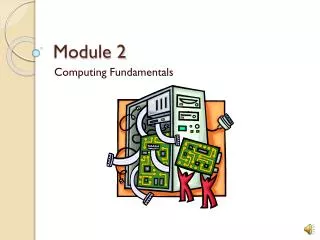
Module 2 Computing Fundamentals
IC3 Industry Certification The IC3 assessment has three parts: • Computer Fundamentals • Key Applications • Living Online Our focus in this class will be on Computer Fundamentals and part of Key Applications. These lessons will prepare you for the first part of the test. Read your chapters, review your PowerPoint presentations, and take your practice tests.
Purposes of Module 2 • Review material as preparation for IC3 assessment • Determine ways to teach this material in ICT I. • How to teach vocabulary? • How to teach computer concepts?
Module 2 Activities IC3 Grid Updates with 2010 GCF Tutorials Each lesson has an instruction sheet, PP presentation and practice assessment Test 1 and Test 2
Updates of 2010 http://www.eweek.com/c/a/Enterprise-Applications/Labs-Gallery-Microsoft-Office-2010-Technical-Preview-in-Pictures-631218/
GCF Tutorials http://www.gcflearnfree.org/computerbasics
Lesson 1 Assessment You can take the practice tests up to 3 times. You need to study and try to make a 100 on the first test because the computer will average your test scores. After your first take you can look at the stats and see the areas where you need extra study. After the first 5 lessons you will take Test 1. This is a real test. You will only get 1 try. One of the purposes of this exercise is to get you ready for IC3, part 1.
Purposes of Module 2 • Review material as preparation for IC3 assessment • Determine ways to teach this material in ICT I. • How to teach vocabulary? • How to teach computer concepts?
Vocabulary • Students can prepare a glossary for their e-reference manual by researching for terms and writing definitions and including pictures of components. Students can do this in Word or PowerPoint. • Crossword puzzles http://www.puzzle-maker.com/CW/ • Games http://www.vocabulary.co.il/ • E-flashcards http://quizlet.com/