Essential Steps to Backup Your Computer and Protect Your Valuable Data
Safeguard your important files, photos, and data by regularly backing up your computer. Schedule automated backups and store them in secure, offsite locations to protect against disasters like fires, floods, or tornadoes. Utilize various media options such as CDs, DVDs, external hard drives, and online storage solutions. Ensure you back up key items like purchased software, financial documents, photographs, and personal projects. Create a consistent backup routine and utilize suitable backup software to streamline the process for optimal data security.

Essential Steps to Backup Your Computer and Protect Your Valuable Data
E N D
Presentation Transcript
Back up your files • Avoid losing photos, files, data • Schedule backups – store backups away from home in case of fire, flood, tornado, etc • Use CDs, DVDs, external hard drives, and other reliable sources of media
What to backup • Purchased software and music downloaded from the internet • Bank records, tax information, financial information • Photographs • Email address book • Personal projects • Internet Bookmarks (Firefox, Internet Explorer, etc)
What media should I useto backup my files? • There are several options you can use to backup files. • External drives, such as a USB flash drive or external hard drive • CD/DVD • Online backup utilities and storage • Each option has its own advantages and disadvantages • Find out more at this link: http://www.microsoft.com/athome/security/update/wherebackup.mspx
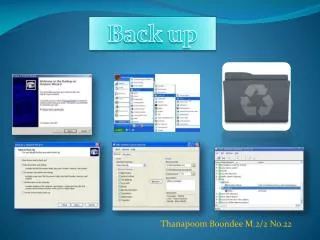
Deciding on a method • Once you have chosen a media on which to backup your data, you will need to decide how to back it up. • If you’re using CDs/DVDs, you can ZIP (compress) the files before copying them. • How often will you need to back up? • You can copy files to an external hard drive or flash drive • Where will you store the backed-up media? • Will you use backup software, such as Norton Ghostor Windows Backup Utility?
Backup Basics Just because you backup your files once does not mean that you are finished. • Write on your calendar or put a reminder on your computer to backup your files routinely. Once per month is a good frequency to backup your files. • Store your backup media in a secure location. If you have backed up bank records and tax information, it’s best to put this media (CD, DVD, flash drive) in your safe or lockbox. • “Shelf life” for different forms of media vary.Know how long your storage media will last,and check to make sure it contains the data you backed up.
Backup Tips • The following web addresses provide very helpful information in addition to this presentation. • Protecting your Backup:http://www.microsoft.com/athome/security/update/protectbackup.mspx • Using the Windows XP Backup Utilityhttp://www.microsoft.com/athome/security/update/howbackup.mspx • What Media to Select (as linked earlier)http://www.microsoft.com/athome/security/update/wherebackup.mspx