1 / 1

Enhance Your Media Insertions: Create a Table with Sounds and Pictures

Learn how to effectively enhance your media presentations by creating a simple 2-column, 4-row table. This guide focuses on placing images on the left and corresponding sounds on the right using Simplythebest.net. Ensure better user experience by keeping audio files from autostarting. Follow our step-by-step instructions to elevate your multimedia projects, making them more engaging and interactive for your audience.

anson
Télécharger la présentation

Enhance Your Media Insertions: Create a Table with Sounds and Pictures

An Image/Link below is provided (as is) to download presentation Download Policy: Content on the Website is provided to you AS IS for your information and personal use and may not be sold / licensed / shared on other websites without getting consent from its author. Content is provided to you AS IS for your information and personal use only. Download presentation by click this link. While downloading, if for some reason you are not able to download a presentation, the publisher may have deleted the file from their server. During download, if you can't get a presentation, the file might be deleted by the publisher.

E N D

Presentation Transcript


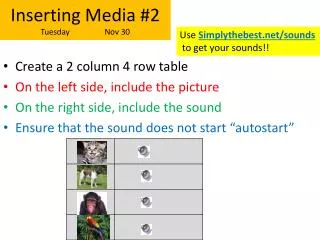
  1. Inserting Media #2Tuesday Nov 30 Use Simplythebest.net/sounds to get your sounds!! • Create a 2 column 4 row table • On the left side, include the picture • On the right side, include the sound • Ensure that the sound does not start “autostart”


More Related