
Uploaded by
bertha
9 SLIDES
207 VUES
90LIKES
Understanding CMS: Choosing, Hosting, and Updating Your Website
DESCRIPTION
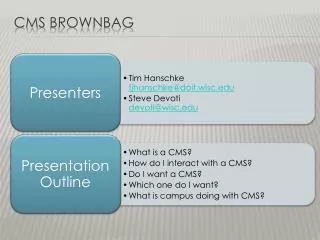
This comprehensive guide explores the essentials of Content Management Systems (CMS). It highlights key terms like "buzz-words" and provides insights on traditional CMS methods for updating websites. The demonstration will help you assess if you need a CMS and assist in choosing the right one for your needs. Additionally, we delve into hosting technologies, including the LAMP stack (Linux, Apache, MySQL, and PHP), equipping you with the knowledge to effectively host your CMS-based website.
Download
1 / 9
Télécharger la présentation 
Understanding CMS: Choosing, Hosting, and Updating Your Website
An Image/Link below is provided (as is) to download presentation
Download Policy: Content on the Website is provided to you AS IS for your information and personal use and may not be sold / licensed / shared on other websites without getting consent from its author.
Content is provided to you AS IS for your information and personal use only.
Download presentation by click this link.
While downloading, if for some reason you are not able to download a presentation, the publisher may have deleted the file from their server.
During download, if you can't get a presentation, the file might be deleted by the publisher.
E N D
Presentation Transcript
Traditional Method content Management system Updating a Website
Hosting Technologies LAMP: Linux – Apache – MySQL – PHP
Steve? How do I host one?





More Related

Audio
Live Player