Importance of Site Surveys for Wireless Network Optimization
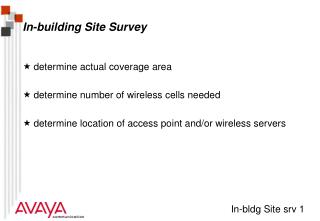
Site surveys are essential for optimizing wireless networks, determining actual coverage areas and the number of wireless cells required. This process involves identifying the best locations for access points (APs) in various environments: open, semi-open, and closed. Using tools like the Avaya Wireless Client Manager, the survey measures signal quality and analyzes barriers such as walls and materials that may hinder performance. Documenting results accurately helps ensure that connectivity meets user needs, accommodating future plans and building layouts.

Importance of Site Surveys for Wireless Network Optimization
E N D
Presentation Transcript
Why a site survey • determine actual coverage area • determine number of wireless cells needed • determine location of access point and/or wireless servers
Speed option Range Avaya Wireless 11 Mbps Open Plan Building Semi Open Office Closed Office High 160 m (525 ft) 50 m (165 ft) 25 m (80 ft) 35 m (115 ft) Medium 270 m (855 ft) 70 m (230 ft) 40 m (130 ft) Standard 400 m (1300 ft) 90 m (300 ft) Standard low 550 m (1750 ft) 115 m (375 ft) 50 m (165 ft) Coverage
Barriers RF Barrier description:RF Barrier severity: Examples: Air Minimal Wood Low partitions Plaster Low inner walls Synthetic material Low partitions Asbestos Low ceilings Glass Low windows Water Medium damp wood , aquarium Bricks Medium inner and outer walls Marble Medium inner walls Paper rolls High paper on a roll Concrete High floors, outer walls Bulletproof glass High security booths Metal Very high desks, metal partitions, re-enforced concrete
The method • Prepare • get copy of floor plan • determine suitable locations to measure • Execute • use Avaya Wireless Client Manager (link test, history, signal and noise) • save results on local disk, or record on tally sheet • Look for noise spikes • Analyze • examine returned Link Quality Assessment • determine best location Servers and/or APs, determine floor coverage • Document results
Position - 1 Position - 2 Link Quality Comments 1 2 1 3 1 5 1 6 1 7 5 7 3 2 3 5 7 2 Tally sheetExample
Position - 1 Position - 2 Link Quality Comments 1 2 good 1 3 good 1 5 acceptable 1 6 acceptable 1 7 poor Noise spikes noticed 5 7 poor 3 2 acceptable 3 5 acceptable 7 2 poor Signal outage noticed Tally sheetExample
What you need • Avaya Wireless Client Manager • Link test • 1x AP + 1x Notebook/PC Card or desktop • purpose: Achievable distances • For Point to Point links • Site Monitor • two or more APs + 1x Notebook/PC Card • purpose: verify overlap APs • Avaya Wireless AP Manager • Analyze function (remote link test)
Things to rememberTips • Take enough loaded batteries for the Notebook • Take building owner on site analysis tour • Inform building personal of site analysis • If possible (allowed) take digital photo’s • Ask for future plans • Perform site analysis, taking filled building into account.