How To Create A Realistic Drop Shadow Using Photoshop
90 likes | 288 Vues
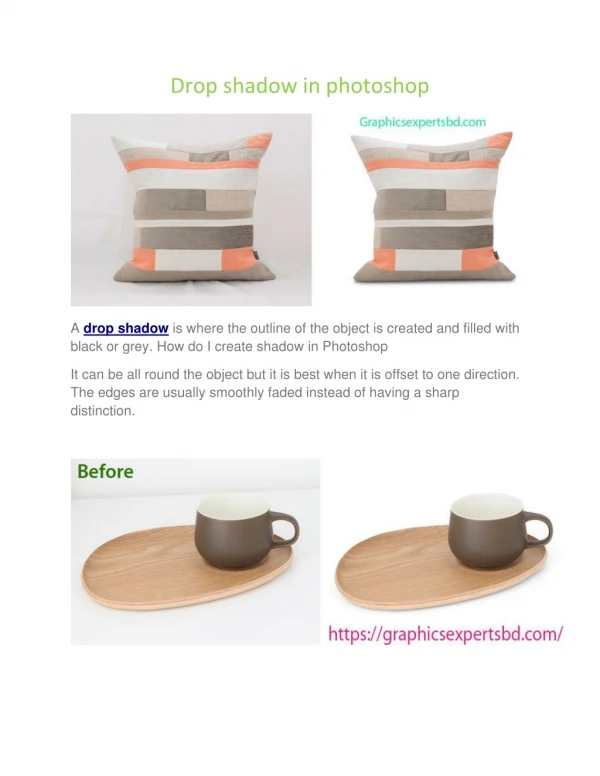
Many times you may wish to give your image a natural look by adding shading or kind of drop shadow, but don't know how to do it. The following tutorial will give you insightful steps to create the realistic drop shadow in photoshop.


How To Create A Realistic Drop Shadow Using Photoshop
E N D
Presentation Transcript
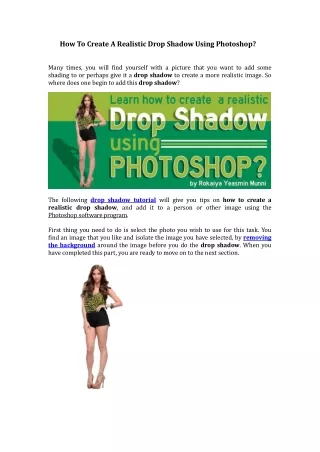
HowToCreateARealisticDropShadowUsingPhotoshop? Manytimes,youwillfindyourselfwithapicturethatyouwanttoaddsomeshadingtoorperhapsgiveitadropshadowtocreateamorerealisticimage.Sowheredoesonebegintoaddthisdropshadow? Thefollowingdropshadowtutorialwillgiveyoutipsonhowtocreatearealisticdropshadow,andaddittoapersonorotherimageusingthePhotoshopsoftwareprogram. Firstthingyouneedtodoisselectthephotoyouwishtouseforthistask.Youfindanimagethatyoulikeandisolatetheimageyouhaveselected,byremovingthebackgroundaroundtheimagebeforeyoudothedropshadow.Whenyouhavecompletedthispart,youarereadytomoveontothenextsection.
Therefore,thefirststepyouwouldwanttodo,isopenalayerandthendouble‐clickintheblankspaceonthatfirstlayer.Thiswillbringupaboxwiththedifferentlayerstyles.Therefore,thefirststepyouwouldwanttodo,isopenalayerandthendouble‐clickintheblankspaceonthatfirstlayer.Thiswillbringupaboxwiththedifferentlayerstyles. Thenyouwouldstartbyaddinganormallayerdropshadow,whichisfoundintheupperlefthandcornerofthelayerstylebox.
Thenyoumaywanttomovetheshadowofftotherightsoyoucanseeitbettertoworkon.Opacityisnotveryimportant,butyoucanleaveitat50%.Thenyoucanadjustthesizetogetanice“fuzzylook,”attheedgesoftheshadow,thenclickOK.Thenyoumaywanttomovetheshadowofftotherightsoyoucanseeitbettertoworkon.Opacityisnotveryimportant,butyoucanleaveitat50%.Thenyoucanadjustthesizetogetanice“fuzzylook,”attheedgesoftheshadow,thenclickOK.
Nextyouwanttogobackuptolayerstyle,andselectcreatelayer,andclickOK.Nextyouwanttogobackuptolayerstyle,andselectcreatelayer,andclickOK. Basically,whatthatdoesisremovethelayerstyleanditaddsitonitsownseparatelayer.
Thenallyouhavetodoistransformitandmoveitaroundtobehindtheimage,whereitwillactuallylooklikeadropshadow.So,youwouldplacetheshadowdirectlybehindtheimagetobeginwith,andthengotoCMD+T(Mac)orCTRL+T(PC)tobeginthetransformprocess,anddragthesmallvisibledotallthewaydowntothebottomoftheimage.Thenallyouhavetodoistransformitandmoveitaroundtobehindtheimage,whereitwillactuallylooklikeadropshadow.So,youwouldplacetheshadowdirectlybehindtheimagetobeginwith,andthengotoCMD+T(Mac)orCTRL+T(PC)tobeginthetransformprocess,anddragthesmallvisibledotallthewaydowntothebottomoftheimage.
Thenyoucanbeginmovingthedropshadowaround;hereitwoulddependonyourparticularphotoandwherethelightisactuallycomingfrom,andtweaksitsoitworksforyou.Thenyoucanbeginmovingthedropshadowaround;hereitwoulddependonyourparticularphotoandwherethelightisactuallycomingfrom,andtweaksitsoitworksforyou. Acouplelittletricksyoucanuse.Like;youcaneitherholddowntheCMDkey(Mac)downortheCTRLkey(PC)togetthelittleicontomovethecornersaroundandslantthemalittletogetamorerealisticshadowappearance.Thenclick“return.”
Youcanalsogoinamaskorremovetheextrashadowbitsatthefrontforacleanerappearance.Youcanalsogoinamaskorremovetheextrashadowbitsatthefrontforacleanerappearance. Nowyoucangobackandadjusttheopacitysettingstolightentheshadow’sappearance,whichiswhyyoustartedoutwithitat50%tobeginwithwhenyoucreatedthelayerstyleinthebeginning. t
Sothereyouhaveit,afewquicktipsonhowtodobasicdropshadowtechnique,andaddamorerealisticappearancetoyourimages.Sothereyouhaveit,afewquicktipsonhowtodobasicdropshadowtechnique,andaddamorerealisticappearancetoyourimages. Youcanalsolearnmycreatedanotherdropshadowtutorial,whichisappliedinaproductimage. Abouttheauthor:RokaiyaYeasminMunni GraphicDesigner,SEOSpecialistandDeputyManager(MarketingDivision) AtOutsourceExpertsLtd,whichisthemothercompanyofhttp://www.clippingpathindia.com