Comprehensive Management for Bands, Venues, and Technical Teams
Streamline your event management process with our comprehensive system encompassing bands, venues, lighting technicians, and sound technicians. This detailed framework includes dynamic data validation to ensure seamless updates while avoiding data insertion issues. With an emphasis on expenditure tracking and conditional formatting for easy visualization, easily analyze your profits and costs. Enhanced with advertising revenues and programme sales projections, this system provides a clear overview of income and expenses, fostering informed decision-making for successful event planning.

Comprehensive Management for Bands, Venues, and Technical Teams
E N D
Presentation Transcript
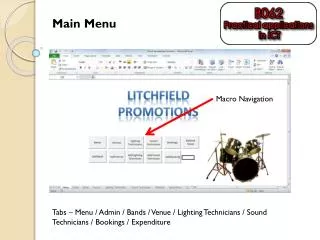
Main Menu Macro Navigation Tabs – Menu / Admin / Bands / Venue / Lighting Technicians / Sound Technicians / Bookings / Expenditure
Bands Area defined as Bands from A2:H100
Venues Area defined as Venues from A2:I100
Lighting technicians Area defined as Light from A4:C100
Sound technicians Area defined as Sound from A4:C100
Booking Details Data Validated to a list from Sound Data Validated to a list from Venues Data Validated to a list from Bands Data Validated to a list from Light Data validation has to be set to INDIRECT to avoid problems with inserting new data
Expenditure Conditional Formatting – colours – Green, red and blue.
Extension - Programmes Area defined as Programmesfrom A3:C100
Extension - Programmes Inserted next to Total Cost Formula for Programme Cost – Assuming half the people will buy a programme =VLOOKUP(Bookings!H3,Programmes,2,FALSE) * (VLOOKUP(C3,Venues,8,FALSE) / 2)
Extension - Programmes Total cost adjusted - =SUM(D3:H3)
Extension - Advertising 2 new columns Advertising charge - Manual entry Advertising revenue - =L3*VLOOKUP(Bookings!H3,Programmes,3,FALSE)
Extension - Advertising Total Income Adjusted - =(K3*Bookings!I3)+M3