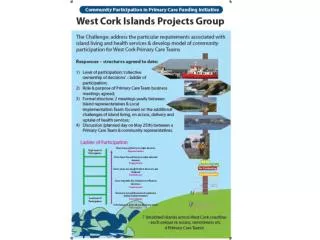
Mastering Poster Creation and Presentation for Effective Communication
This guide provides essential tips for creating and presenting engaging posters. Start by defining your content, stating your topic clearly, and identifying your goals. Design your poster with readability in mind, using legible fonts and a logical information flow. Incorporate visuals strategically to enhance understanding. During the presentation, engage your audience by pointing out key areas and being approachable. Evaluate your poster based on appearance, content clarity, and the presenter’s effectiveness. These steps ensure your poster captivates viewers and conveys messages effectively.

Mastering Poster Creation and Presentation for Effective Communication
E N D
Presentation Transcript
Posters How to make them.How to present them.
First questions to ask yourself: • What's your content? • Create a topic statement – one sentence to describe your point. • What are you trying to achieve? • Who will be attending?
Goal: • Attract visitors. • Use the poster as a visual aid to illustrate your points. • Use the poster to generate conversation between you and your visitors.
Props • Does your subject matter allow for a practical demonstration? • Physical hardware – or a mockup/prototype • Your software on a laptop • Video of your project • These are less portable, sometimes conflict with space restraints • Plan your presentation without the props
Planning your Poster • Make your poster Readable. • Do the ideas flow from one item to the next? • Does the text have grammar/spelling problems? • Avoid: • Complex sentence structures. • Passive voice. • Unnecessary adjectives. • Long paragraphs.
Make your poster legible. • Use larger fonts. • Major points should be readable from 6 feet away. • Even minor points should be obvious at a glance.
Make your poster organized. • Information should flow logically. • Make the starting point clear. • Make the visual path obvious.
Keep your message succinct. • Keep your language short and to the point. • Use the space but don’t cramp. • 20% text, 40% graphics, 40% white space. • Be concise and selective. Key points are important, not details. • Edit ruthlessly.
General Poster Design • Keep it tasteful and professional. • Use large pictures. • Use eye catching titles. • Use color wisely. • Be consistent.
Graphics • Should catch and hold audience attention. • Should increase understanding of complex subjects. • Should increase efficiency in sending a message. • Things to ask: • Is it relevant or simply cute/faddish? • Does it add to verbal material? Is the redundancy useful? • Is it easy to understand?
Image Resolution • Make sure your graphics will be clear when printed out. • When choosing images, consider: • The source of the image. • The purpose of the image. • The output of the printing/display device. • Beware of Web Graphics • Graphics optimized for fast download often don’t print well.
Starting your poster: • Determine your main message. • Measure your space. • Lay out your elements crudely. • Eliminateextraneous material. • (Consider looking online for templates)
Presenting your poster • Style, format, color, readability, attractiveness, and showmanship all count. • Message should be clear: 3-5 minutes. • You are on display with your poster.
Things to Do: • Wear a name tag. • Greet viewers and offer to answer questions. • Stand to the side of your poster, give viewers space. • Speak to the viewers, not the poster. • Point to areas on the poster while speaking. • Walk viewers through the figures. • Leave a note if you must leave during your session. • Thank viewers for visiting.
Typical Evaluation Criteria • Appearance: • Does the poster attract attention? • Can it be read at a distance? • Is it clearly organized? Easy to follow? • Does it use enough visual aids? Does it use them effectively? • Is there unnecessary clutter?
Evaluation (cont.) • Content • Is the content immediately clear? • Does the content hold the viewer’s interest? • Is the content accessible to the intended audience? • Is the content technically accurate? • Does the content rely on controversial or unwarranted assumptions?
Evaluation (cont.) • Content • Does the poster cover the underlying methodology well enough to understand the results? • Does the content stand on its own? (Without a presenter)
Evaluation (cont.) • Presentation: • Does the presenter adequately explain the poster’s content? Add to it? • How well does the presenter respond to questions?
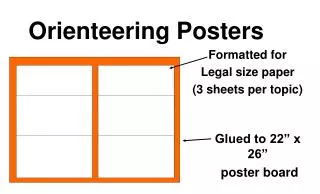
How to Print it: • BELS labs: http://www.soe.ucsc.edu/administration/labs/ • Poster Guidelines: https://twiki.soe.ucsc.edu/twiki/bin/view/BELS/PosterGuidelines • Most critical: 48”x36” dimensions, don’t use a dark background • Check out links to tutorials from Swarthmore and Cornell. • Send a PowerPoint or PDF file to bels-request@soe.ucsc.edu • Subject: 'Poster Printing - CE185 - Myname'. • 5-day minimum lead-time (can be faster depending on how busy they are) • Kinkos can do a very quick turnaround for about $25 (black and white only – color will cost $$$)