
SlideServe
Menu
Préférences
© SlideServe · v2026

Enable SIP Connectivity Without Firewall Hassles

kyla-shelton avatar
4 diapositives · 141 Views · Nov 02, 2014

Connect your LAN to the SIP world with the IX67 LAN SIParator, ensuring seamless SIP functionality while maintaining your existing firewall. This solution allows SIP signaling and RTP media streams integration while keeping your network secure. Configure the LAN SIParator easily to enjoy all SIP features without compromising firewall settings.
Enable SIP Connectivity Without Firewall Hassles - slide 1
01 / 4Enable SIP Connectivity Without Firewall Hassles
1 / 17

Télécharger la présentation

Enable SIP Connectivity Without Firewall Hassles
Une image / un lien ci-dessous est fourni (tel quel) pour télécharger la présentation

Politique de téléchargement : le contenu du site vous est fourni TEL QUEL pour votre information et votre usage personnel ; il ne peut être vendu, concédé sous licence ni partagé sur d’autres sites sans l’accord de son auteur.Le contenu vous est fourni TEL QUEL, pour votre information et votre usage personnel uniquement. Téléchargez la présentation en cliquant sur ce lien. Lors du téléchargement, si vous ne parvenez pas à télécharger une présentation, l’éditeur a peut-être supprimé le fichier de son serveur.Pendant le téléchargement, si vous ne parvenez pas à obtenir une présentation, le fichier a peut-être été supprimé par l’éditeur.

F I N

Plus de contenu associé

Transcription de la présentation
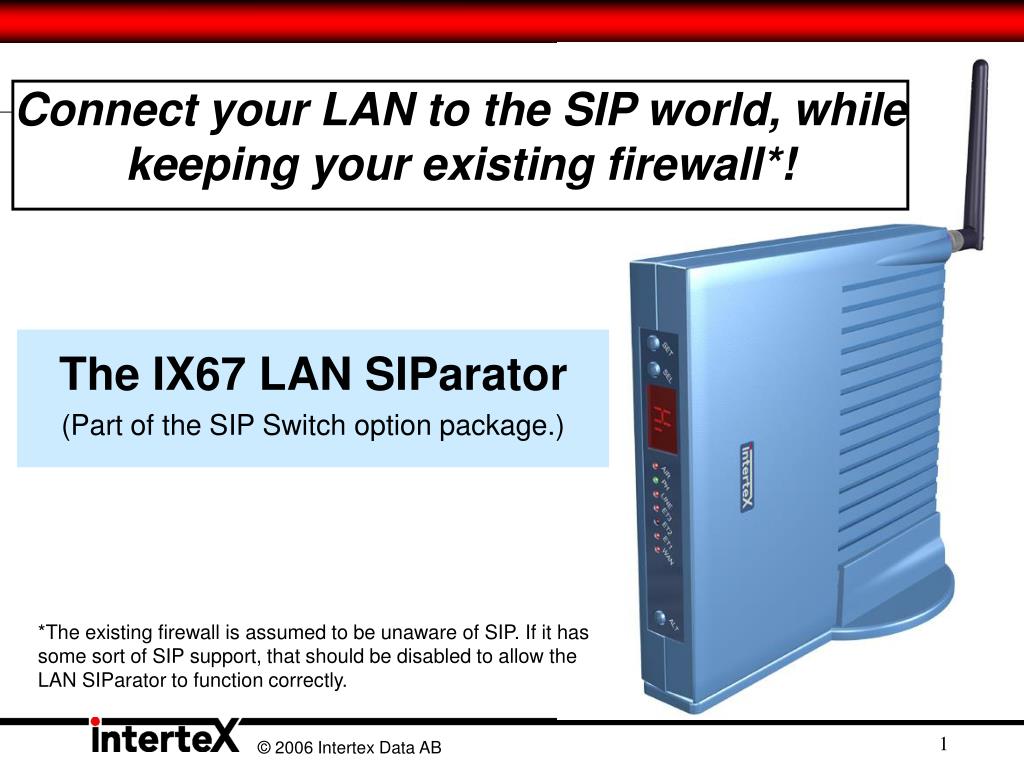
  1. Connect your LAN to the SIP world, while keeping your existing firewall*! The IX67 LAN SIParator (Part of the SIP Switch option package.) *The existing firewall is assumed to be unaware of SIP. If it has some sort of SIP support, that should be disabled to allow the LAN SIParator to function correctly.

  2. Internet Internet carl@partco.com carl@partco.com Existing Firewall (not SIP aware) LAN SIParator (keep the old Firewall) SIP Capable Firewall (normal configuration) ben@smartco.com ben@smartco.com sue@smartco.com ann@smartc.com sue@smartco.com ann@smartc.com The LAN SIParator All the SIP functionality while keeping your existing firewall

  3. SIP signalling (port 5060 UDP/TCP) RTP media streams (UDP port interval, e.g. 35000 - 36999) The LAN SIParator Functionality Internet MAIN FUNCTIONS: • SIP signalling proxy (including address translation) • User location – SIP registrar (pass through or main) • Media stream NATing AND THE OTHER SIP FUNCTIONS: • SIP server • Outbound/inbound proxy • SIP Switch (PBX functions and advanced routing) Public IP addresses Existing Firewall (not SIP aware) LAN Private IP addresses ben@smartco.com sue@smartco.com ann@smartc.com

  4. LAN SIParator Configuration LAN SIPARATOR CONFIGURATION • The UDP port range 35000 – 36999 is recommended for the SIP media streams. • The outside IP address of the existing firewall (i.e. the public IP address from the ISP) is automatically filled in. • Even dynamic IP addresses are supported (automatically updated) EXISTING FIREWALL CONFIGURATION • The SIP UDP and TCP ports 5060 must be redirected to the LAN SIParator. • The UDP port range must be opened and redirected to the LAN SIParator. SIP CLIENT CONFIGURATION • All SIP clients on the LAN must be setup to use the IP address of LAN SIParator as their outbound SIP proxy. Existing Firewall (not SIP aware)