SlideServe
Menu
Préférences
© SlideServe · v2026

Getting started with interactive projects

lan avatar
41 diapositives · 559 Views · Sep 08, 2014

This guide provides an overview of micro-controllers and introduces Arduino as an open-source physical computing platform. We explore the capabilities of Arduino, including its memory, input/output options, and how to program it for various tasks. Additionally, we discuss the integration of Arduino with Max and Processing for interactive projects. Readers will learn how to communicate with sensors and create dynamic applications. Ideal for beginners looking to understand micro-controllers and physical computing, this resource serves as a stepping stone into the world of DIY electronics and programming.
Getting started with interactive projects - slide 1
01 / 41Getting started with interactive projects
1 / 17

Télécharger la présentation

Getting started with interactive projects
Une image / un lien ci-dessous est fourni (tel quel) pour télécharger la présentation

Politique de téléchargement : le contenu du site vous est fourni TEL QUEL pour votre information et votre usage personnel ; il ne peut être vendu, concédé sous licence ni partagé sur d’autres sites sans l’accord de son auteur.Le contenu vous est fourni TEL QUEL, pour votre information et votre usage personnel uniquement. Téléchargez la présentation en cliquant sur ce lien. Lors du téléchargement, si vous ne parvenez pas à télécharger une présentation, l’éditeur a peut-être supprimé le fichier de son serveur.Pendant le téléchargement, si vous ne parvenez pas à obtenir une présentation, le fichier a peut-être été supprimé par l’éditeur.

F I N

Plus de contenu associé

Transcription de la présentation
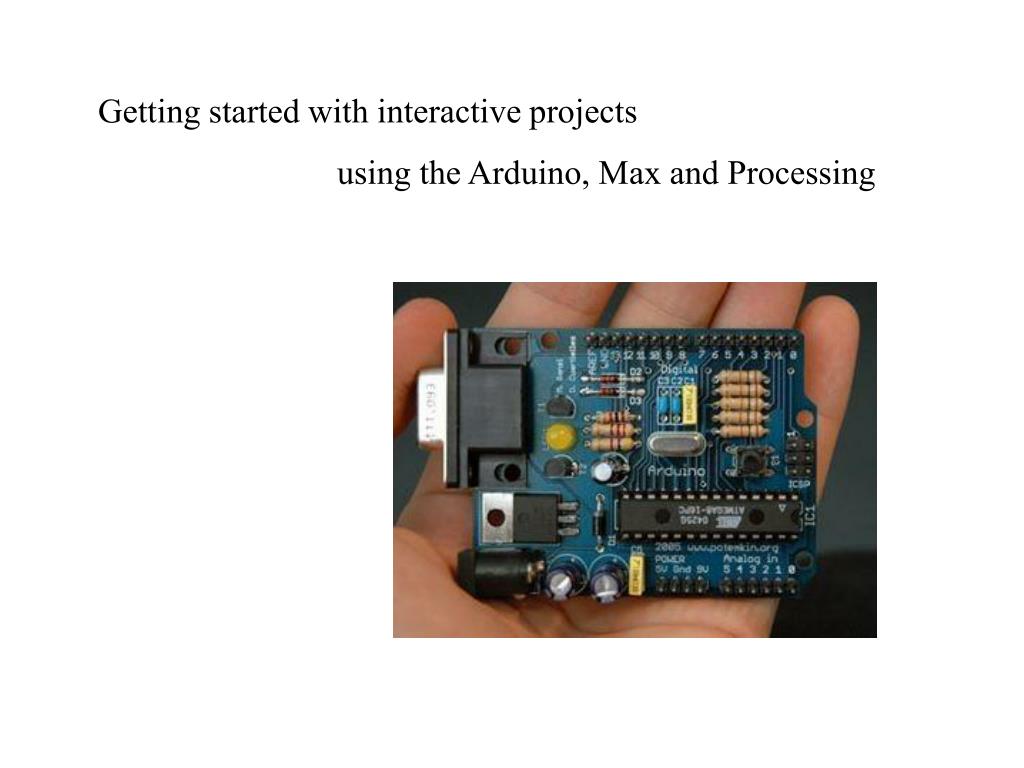
  1. Getting started with interactive projects using the Arduino, Max and Processing

  2. What’s a micro-controller?

  3. What’s a micro-controller? A Micro-controller is an integrated circuit that contains many of the same items that a desktop computer has, such as CPU, memory, etc., but does not include any “human interface” devices like a monitor, keyboard, or mouse. Micro-controllers are mostly designed for machine control applications, rather than human interaction.

  4. What’s a micro-controller? A Micro-controller is an integrated circuit that contains many of the same items that a desktop computer has, such as CPU, memory, etc., but does not include any “human interface” devices like a monitor, keyboard, or mouse. Micro-controllers are mostly designed for machine control applications, rather than human interaction. Micro-controllers paired with all the peripherals they need to be self-sufficient, such as the Arduino Board, are sometimes called “single-board computers.”

  5. What is Arduino? • Open Source Physical Computing Platform • Open source: free to inspect & modify • physical computing platform for all sorts of projects • A physical board, a programming environment, a development philosophy • Tiny computer you can program to do all sorts of tasks • Completely stand-alone, or used to communicate with other devices

  6. What is Arduino? Arduino is also a standardized “bootloader” • A tiny program that loads other programs • It’s alive during first 5 seconds After 5 seconds, your program runs Don’t need special programmer board with a bootloader

  7. What is Arduino? Capabilities • 8 kBytes of Flash program memory • 1 kByte of RAM • 12 MHz (Apple II: 1 MHz) • Inputs and Outputs • 13 digital input/output pins • 5 analog input pins Digital I/O can read switches and buttons, control LEDs and motors Analog input can read knobs or other varying sensors Analog output can be done with PWM

  8. • Arduino is very similar to Basic Stamp (if you know it) • but cheaper, faster, & open source • Uses AVR ATmega8 or Atmega168 microcontroller chip Basic Stamp uses PIC microcontroller chip. PICs and AVRs are very comparable, one’s not necessarily better than the other AVRs are a little easier if you’re using a language like C (stack-based) Don’t need to worry about the chip particulars for now

  9. Edges are used as power “buses” supplying common + and - charges across the board.

  10. Change ledPin to 9

  11. http://www.processing.org

  12. Try example “fading” with the same circuit

  13. init setup loop

  14. interlude

  15. “ArduinoDimmer” Simple MAX patch to send data to the arduino

  16. interlude

  17. 1) Quit Max 2) In the arduino environment open: arduinoSerialreader_wiring.pde 3) Upload to Arduino 4) start Max 5) open Arduino2Max_MaxPatch

  18. Gas Sensor Gyro Accelerometer Metal Detector Pendulum Resistive Tilt Sensors Piezo Bend Sensor Gieger-Muller Radiation Sensor Pyroelectric Detector UV Detector Resistive Bend Sensors CDS Cell Resistive Light Sensor Digital Infrared Ranging Pressure Switch Miniature Polaroid Sensor Limit Switch Touch Switch Mechanical Tilt Sensors IR Sensor w/lens IR Pin Diode Thyristor Magnetic Sensor Polaroid Sensor Board Hall Effect Magnetic Field Sensors Magnetic Reed Switch IR Reflection Sensor IR Amplifier Sensor IRDA Transceiver IR Modulator Receiver Radio Shack Remote Receiver Lite-On IR Remote Receiver Solar Cell Compass Compass Piezo Ultrasonic Transducers

  19. Resistive Sensors • Bend Sensors • Resistance = 10k to 35k Ohms (usually) • Force to produce 90deg = 5 grams • www.jameco.com = 12$ • Potentiometers • Fixed Rotation Sensors • Easy to find, easy to mount • Light Sensor • Good for detecting direction/presence of light • Non-linear resistance Resistive Bend Sensor Potentiometer Cadmium Sulfide Cell

  20. Force Sensing Resistors FSRs Call and ask for pricelist And Fsr guide