Download
1 / 46
460 likes | 576 Vues
In today's lecture, we will explore the essential animation techniques vital for your final project in the Platformer 4 course. We'll cover various animation methods, including sprite/texture animation, vertex animation with morph targets, and skeletal animation. You'll learn about creating animations using rigged models and the advantages of different approaches like forward and inverse kinematics. Additionally, we will discuss generating animations through manual and procedural methods. Expect to leave with actionable tips and insights that will enhance your game project's animation quality!

E N D
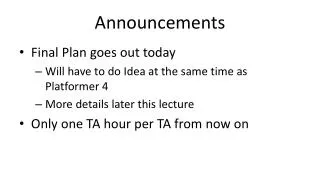
Announcements • Final Plan goes out today • Will have to do Idea at the same time as Platformer 4 • More details later this lecture • Only one TA hour per TA from now on
Lecture 7 Animation Basics Final Project It’s aliiiiiiiiive! Final Project Tips for Platformer4
Animation • Many different kinds of animation • Categories we will cover: • Sprite/texture animation • Vertex animation and morph targets • Skeletal animation
Sprite animation • Set of still images played in sequence • In early times, used for all entities (even in 3D games) • In modern times, primarily used in 2D games only • Still used for particle effects sometimes (billboarding)
Vertex animation and morph targets • Motion data for each vertex in a mesh • Morph targets blend between extreme poses • Gives fine-grained control, but is very time-consuming to create • Can be used in conjunction with skeletal animation • Commonly used for facial expressions
Aside: modifiers • Compute vertices from arbitrary function • Example: bend modifier • Store the modifier, compute vertices on the fly • More useful for offline applications • High quality, but can be difficult to render in real time
Skeletal Animation • Most common animation technique for 3D games today • Skeleton composed of joints (or bones) • Each joint has a transformation matrix • Skeleton forms a tree of joints • Creation of a skeleton is called “rigging” • Pros • Much more compact than vertex animation • Easier to create animations, just move joints • Cons • Less control over look than vertex animation
Forward kinematics • Compute world-space location given orientation of joints • Global matrix of joint depends on parent matrix and local rotation • global matrix = parent matrix * local matrix • Compute global matrices using DFS over skeleton • Different ways of representing local matrix • Euler angles: yaw, pitch, and roll • Axis-angle: rotation around a vector (quaternions)
Inverse kinematics • Compute orientation of joints given world-space location • More intuitive user interface • Iterative and analytic solutions • More implementation and runtime overhead
Rigid body hierarchy animation • Hierarchy of 3D primitives • Similar to CS123 “scene graph” • Used in Minecraft • Implicit scene graph created with glPushMatrix() and glPopMatrix()
Skinning • Process of defining mesh around skeleton • Vertices are associated with one or more joints • Each association has some weight from 0 to 1 • Rendering a vertex • Blend between the transformations of its joints • Easiest: linear interpolation • State of the art: dual quaternion blending
Generating animations • Set root translation and orientation of joints • Games use combination of methods • Manual animation • Procedural animation (inverse kinematics) • Ragdoll physics
Manual animation • Animators specify poses for keyframes on a timeline • Software tools for high-end 3D animation • Free: Blender • Nowhere near free: Maya, 3ds Max • None of us are actually good at this • To learn from people who are, take CS125/CS128!
Case study: Locomotion • Unity library for realistic movement • Sets pose of skeleton procedurally • Blends between animations: up vs down slopes • Places feet tangent to surface
Ragdoll physics • Blending of physics and animation • Rigid bodies tied together by constraints • Typically spring-damper constraints • Many variations on standard approach: • Verlet integration: Model each bone as a point • Blended ragdoll: Use preset animation, but constrain output based on a model of a physical system • Used in Halo 2, Halo 3, Left 4 Dead, etc.
Case study: Euphoria & Endorphin • Ragdoll physics engine and animation system • Used in many recent games • Red Dead Redemption, Star Wars: Force Unleashed
Mesh formats • Range of file format capabilities • Wavefront OBJ • Extension: *.obj • Simple, easily parsable ASCII format • Doesn't support animation or multitexturing • COLLADA: COLLAborative Design Activity • Extension: *.dae • Used for transferring models between applications • XML format general enough to define any model • Includes lights, materials, cameras, physics models
Mesh formats • All major 3D game engines use their own format • Games are high-performance applications with custom requirements • 3D models integrate tightly with engine-specific resource loading systems (i.e. data archives) • Finding free game assets is difficult • Especially for animated models • Open Asset Import Library: Open source C++ library that imports and exports many different formats
Sources of Free 3D Models • http://opengameart.org/ • http://turbosquid.com/ • http://sketchup.google.com/3dwarehouse
Lecture 7 Final Project Open-ended! Tips for Platformer4 Animation Basics
Final Project: Overview • Open-ended • Develop both an engine and a game • Work in teams of 2-4 • Bag of topics • Split into major and minor topics • Each group member must implement one major topic • Proposal
Final Project: Bag of topics • Example major topics • Triggers / scripting system • Networking • AI planner system • Level editor • Advanced graphics • Portals
Final Project: Bag of topics • Example minor topics • Particle system • Basic audio system • Terrain generation • Gravity volumes • Integrating existing library like ODE
Final Plan: Idea • Must be completed by everyone individually • Even if you already have a group • Everyone must submit their own idea • This is an exercise in game design • One page with two sections • Engine feature • Game idea • Due next week, coincident with Platformer 4 • More details in handout
Final Plan: Idea presentations • 2-minute “elevator pitch” of project idea • Try to get people excited about it! • Opportunity to get feedback and find group members • If you don’t implement your idea, someone else might!
Final Plan: Design • More detailed writeup • Done once per group • Three sections • Engine features • Engine integration • Game idea • Due after break • More details in handout
Final Project: More details • Weekly checkpoints like all other projects • Playtesting in class for weeks 2 through 4 • Notes from public playtesting due for weeks 3 and 4 • Playtest at least 5 non-195U-students per group member per week • Duplicates do not count • Take notes for each playtester and hand them in • Final postmortem presentations in class on May 2 • Presentation covering at least 5 good things and 5 bad things about the development process, in retrospect • For tips on postmortems, talk to a TA or consult Lecture 12 from CS195N: • http://cs.brown.edu/courses/cs195n/lectures/12.pdf#page=15
Final Project: Achievability • Consider your strengths and weaknesses, as well as time constraints • Most time will be spent on technology, not content • Asset creation is your enemy • Use procedural generation where possible • No MMOs or large-scale RPGs! • Adjust project scope based on team size • But remember communication overhead
Lecture 7 Final Project Actually a game! Tips for Platformer 4 Animation Basics
Platformer: Week 4 • Make your platformer into a game • Minimum requirements • An achievable win condition • Some form of enemies / obstacles • At least one enemy must use your pathfinding • In-game UI • Playtesting next week after idea presentations!
Game UI • Standards vary across genres • Follow conventions of the genre • In an RPG, show common spells in a toolbar the bottom of the screen • In an FPS, draw a reticle in the middle of the screen • In an RTS, allow marquee selection of units • Avoid excess UI • Breaks immersion, distracts from important UI • Main objectives • Usability • Beauty
Game UI: Guild Wars • Conveys tons of information • But can get cluttered very quickly...
Game UI: Dead Space • Embed UI in game world • Player's health visible on backpack
Game UI: Journey • As minimalistic as possible • Doesn't need UI at all...
Game UI: Orthographic Projection • Map OpenGL coordinates to pixel coordinates • Use orthographic projection GLintview[4]; glGetIntegerv(GL_VIEWPORT, view); glMatrixMode(GL_PROJECTION); glPushMatrix(); glLoadIdentity(); glOrtho(view[0], view[2], view[1], view[3], -1, 1); glMatrixMode(GL_MODELVIEW); glPushMatrix(); glLoadIdentity(); //... drawing code glMatrixMode(GL_PROJECTION); glPopMatrix(); glMatrixMode(GL_MODELVIEW); glPopMatrix();
Game UI: Health Bars • Want health bars above enemies • Project points from world to screen space • Use gluProject() • To project p into screen space: intview[4]; double model[16], proj[16]; glGetDoublev(GL_MODELVIEW_MATRIX, model); glGetDoublev(GL_PROJECTION_MATRIX, proj); glGetIntegerv(GL_VIEWPORT, view); doublesx, sy, sz; // screen-space coordinates gluProject(p.x, p.y, p.z, model, proj, view, &sx, &sy, &sz); //... drawing code using sx, sy, and sz
Game UI: Health Bars • What if enemy is behind the player? • gluProject will return a z value greater than 1 • Don't draw health bar in this case
C++ tip of the week • C-style casting • Can do several things at once • Hard to distinguish intent from mistakes • C++-style casting • Different options help to explicitly state intent • Some additional behavior that C-style casts lack (T)ptr T(ptr) static_cast<T>(ptr) const_cast<T>(ptr) reinterpret_cast<T>(ptr) dynamic_cast<T>(ptr)
C++ tip of the week • static_cast • Can upcast from subtypes to supertypes • Can downcast from supertypes to subtypes, but doesn’t check for validity • Can cast pointers to and from void * • Can't cast away const structBase {}; structDerived : Base {}; structOther {}; Base *base = newDerived(); Derived *derived = static_cast<Derived *>(base); // ok Other *other = static_cast<Other *>(base); // error
C++ tip of the week • const_cast • Can cast away const • Modification is undefined if the original variable (the target of the pointer) was declared const int a1 = 1; constint *a2 = &a1; int *a3 = (int *)a2; // ok but could be a mistake int *a4 = static_cast<int *>(a2); // error int *a5 = const_cast<int *>(a2); // ok and explicit constint b1 = 2; int *b2 = const_cast<int *>(&b1); *b2 = 3; // undefined behavior
C++ tip of the week • reinterpret_cast • Directly reinterpret the bits of one type as another • Mostly used for manipulating internal representations inti = 0x7f800000; // bits for positive infinity float *ptr = reinterpret_cast<float *>(&i); float &ref = reinterpret_cast<float &>(i); long bits = reinterpret_cast<long>(ptr);
C++ tip of the week • dynamic_cast • Does any pointer-to-pointer cast between two types that have v-tables • Checks validity of cast at runtime, returns NULL on failure for pointers • Uses run-time type information (RTTI), which is somewhat expensive structA { virtual ~A() {} }; structB : A {}; structC : A {}; A *a = newB(); B *b = dynamic_cast<B *>(a); // b != NULL C *c = dynamic_cast<C *>(a); // c == NULL
C++ tip of the week • C-style casts defined as the first of the following that succeeds: • const_cast • static_cast • static_cast then const_cast • reinterpret_cast • reinterpret_cast then const_cast