Paging, Page Tables, and Such
320 likes | 444 Vues
This presentation covers essential topics in operating systems focused on improving paging efficiency. It discusses various page replacement strategies including LRU, FIFO, and Random, as well as the mechanics of page tables and the significance of working sets. Techniques to enhance paging speed through Translations Lookaside Buffers (TLBs) are examined, highlighting their implementation and the impact of context switches on memory management. Understanding these concepts is crucial for optimizing memory allocation and reducing page faults in modern computing systems.


Paging, Page Tables, and Such
E N D
Presentation Transcript
Paging, Page Tables, and Such Andrew Whitaker CSE451
Today’s Topics • Page Replacement Strategies • Making Paging Fast • Reducing the Overhead of Page Tables
working set Review: Working Sets Request / second of throughput thrashing )-: Over-allocation Number of page frames allocated to process
Page Replacement • What happens when we take a page fault and we’ve run out of memory? • Goal: Keep each process’s working set in memory • Giving more than the working set not necessary • Key issue: how do we identify working sets?
Belady’s Algorithm • Evict the page that won’t be used for the longest time in the future • This page is probably not in the working set • If it is in the working set, we’re thrashing • This is optimal! • Minimizes the number of page faults • Major problem: this requires a crystal ball • There is no good way to predict future memory accesses
How Good are These Page Replacement Algorithms? • LIFO • Newest page is kicked out • FIFO • Oldest page is kicked out • Random • Random page is kicked out • LRU • Least recently used page is kicked out
Temporal Locality • Assumption: recently accessed pages will be accessed again soon • Use the past to predict the future • LIFO is horrendous • Random is also pretty bad • LRU is pretty good • FIFO is mediocre • VAX VMS used a form of FIFO because of hardware limitations
Implementing LRU: Approach #1 • One (bad) approach: on each memory reference: long timeStamp = System.currentTimeMillis(); sortedList.insert(pageFrameNumber,timeStamp); • Problem: this is too inefficient • Time stamp + data structure manipulation on each memory operation • Too complex for hardware
Making LRU Efficient • Use hardware support • Reference bit is set when pages are accessed • Can be cleared by the OS • Trade off accuracy for speed • It suffices to find a “pretty old” page 1 1 1 2 20 V R M prot page frame number
Approach #2: LRU Approximation with Reference Bits • For each page, maintain a set of reference bits • Let’s call it a reference byte • Periodically, shift the HW reference bit into the highest-order bit of the reference byte • Suppose the reference byte was 10101010 • If the HW bit was set, the new reference bit become 11010101 • Frame with the lowest value is the LRU page
Analyzing Reference Bits • Pro: Does not impose overhead on every memory reference • Interval rate can be configured • Con: Scanning all page frames can still be inefficient • e.g., 4 GB of memory, 4KB pages => 1 million page frames
Approach #3: LRU Clock • Use only a single bit per page frame • Basically, this is a degenerate form of reference bits • On page eviction: • Scan through the list of reference bits • If the value is zero, replace this page • If the value is one, set the value to zero
Why “Clock”? Typically implemented with a circular queue 0 0 0 0 1 1 0 1 0 1 0 0
Analyzing Clock • Pro: Very low overhead • Only runs when a page needs evicted • Takes the first page that hasn’t been referenced • Con: Isn’t very accurate (one measly bit!) • Degenerates into FIFO if all reference bits are set • Pro: But, the algorithm is self-regulating • If there is a lot of memory pressure, the clock runs more often (and is more up-to-date)
1 2 3 5 4 6 7 8 When Does LRU Do Badly? • LRU performs poorly when there is little temporal locality: • Example: Many database workloads: SELECT * FROM Employees WHERE Salary < 25000
Today’s Topics • Page Replacement Strategies • Making Paging Fast • Reducing the Overhead of Page Tables
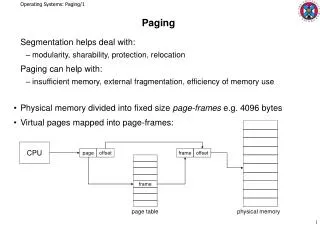
Review: Mechanics of address translation virtual address virtual page # offset physical memory page frame 0 page table page frame 1 physical address page frame 2 page frame # page frame # offset page frame 3 … page frame Y Problem: page tables live in memory
Making Paging Fast • We must avoid a page table lookup for every memory reference • This would double memory access time • Solution: Translation Lookaside Buffer • Fancy name for a cache • TLB stores a subset of PTEs (page table translation entries) • TLBs are small and fast (16-48 entries) • Can be accessed “for free”
TLB Details • In practice, most (> 99%) of memory translations handled by the TLB • Each processor has its own TLB • TLB is fully associative • Any TLB slot can hold any PTE entry • The full VPN is the cache “key” • All entries are searched in parallel • Who fills the TLB? Two options: • Hardware (x86) walks the page table on a TLB miss • Software (MIPS, Alpha) routine fills the TLB on a miss • TLB itself needs a replacement policy • Usually implemented in hardware (LRU)
What Happens on a Context Switch? • Each process has its own address space • So, each process has its own page table • So, page-table entries are only relevant for a particular process • Thus, the TLB must be flushed on a context switch • This is why context switches are so expensive
Ben’s Idea • We can avoid flushing the TLB if entries are associated with an address space • When would this work well? • When would this not work well? 4 1 1 1 2 20 ASID V R M prot page frame number
TLB Management Pain • TLB is a cache of page table entries • OS must ensure that page tables and TLB entries stay in sync • Massive pain: TLB consistency across multiple processors • Q: How do we implement LRU if reference bits are stored in the TLB? • One answer: we don’t • Windows uses FIFO for multiprocessor machines
Today’s Topics • Page Replacement Strategies • Making Paging Fast • Reducing the Overhead of Page Tables
Page Table Overhead • For large address space, page table sizes can become enormous • Example: Alpha architecture • 64 bit address space, 8KB pages Num PTEs = 2^64 / 2^13 = 2^51 Assuming 8 bytes per PTE: Num Bytes = 2^54 = 16 Petabytes And, this is per-process!
Optimizing for Sparse Address Spaces • Observation: very little of the address space is in use at a given time • This is why virtual memory works • Basic idea: only allocate page tables where we need to • And, fill in new page tables on demand virtual address space
Implementing Sparse Address Spaces • We need a data structure to keep track of the page tables we have allocated • And, this structure must be small • Otherwise, we’ve defeated our original goal • Solution: multi-level page tables • Page tables of page tables • “Any problem in CS can be solved with a layer of indirection”
Two level page tables virtual address master page # secondary page# offset physical memory page frame 0 master page table physical address page frame 1 page frame # offset secondary page table secondary page table page frame 2 page frame 3 empty page frame number … empty page frame Y Key point: not all secondary page tables must be allocated
Generalizing • Early architectures used 1-level page tables • VAX, x86 used 2-level page tables • SPARC uses 3-level page tables • Alpha 68030 uses 4-level page tables • Key thing is that the outer level must be wireddown (pinned in physical memory) in order to break the recursion
Cool Paging Tricks • Basic Idea: exploit the layer of indirection between virtual and physical memory
Trick #1: Shared Memory • Allow different processes to share physical memory Virt Address space 1 Virt Address space 2 Physical memory
Trick #2: Copy-on-write • Recall that fork() copies the parent’s address space to the client • This is ineffient, especially if the child calls exec • Copy-on-write allows for a fast “copy” by using shared pages • If the child tries to write to a page, the OS intervenes and makes a copy of the target page • Implementation: pages are shared as “read-only” • OS intercepts write faults V R M prot page frame number
Trick #3: Memory-mapped Files • Normally, files are accessed with system calls • Open, read, write, close • Memory mapping allows a program to access a file with load/store operations Virt Address space Foo.txt